
Cold email strategy that will actually work in 2026

Cold email strategy that will actually work in 2026

Cold email is getting harder, way harder these days!

If you have been in the outreach game for a while, you probably noticed the shift. Reply rates dropped from 6.8% and 2023 to 5.8% in 2024. Open rates plummeted from 36% to just 27.7%. And if you are still using those cookie cutter templates from 2020? Yeah, they are basically dead in the water.

But here’s the thing cold email isn’t dead. Far from it. It’s just evolving. And the people who are crushing it in 2026 and the ones sending more emails they are the ones sending smarter emails.

So, if you are ready to stop wasting on tactics that stopped working years ago and start implementing strategies that actually move the needle in 2026 buckle up.  This is going to be a deep dive.

The Cold Email Reality Check: What the Data Really Says

Before we jump into strategies, let’s look at where we actually stand. Because if you don’t know the baseline, you can’t measure the success.

The current state of cold email in 2026: • Average reply rate: 5-9% (down from previous years) • Average open rate: 15-25% for cold B2B campaigns • Only 95% of cold emails get ZERO response • Top performers are hitting 40-50% reply rates on targeted campaigns • Click-through rates hover 2-5%

The current state of cold email in 2026:

  • Average reply rate: 5-9% (down from previous years)
  • Average open rate: 15-25% for cold B2B campaigns
  • Only 95% of cold emails get ZERO response
  • Top performers are hitting 40-50% reply rates on targeted campaigns
  • Click-through rates hover 2-5%

Now here’s what’s interesting the gap between average performer (5 to 9%) and top performance (40 to 50%) is massive. And it’s not because stock performance has better products or bigger budgets it’s because they understand what’s changed

3 major shifts happened that killed old school cold email

Inbox fatigue became real. Decision makers are drowning in cold emails. The average B2B buyer received 10+ cold emails every single week. Most are trash. They’ve gotten really, really good at hitting delete.

Email providers got strict. Gmail and Yahoo rolled out authentication requirements in February 2024, then ramped up enforcement in November 2025. If you are sending 55,000+ emails per day without proper SPF, DKIM, and DMARC setup your emails are and reaching inboxes. Microsoft jumped on board in May 2025. Now keeping your spam complaint rate under 0.3% isn’t optional – its survival.

Follow ups became dangerous. Remember when 5-7 email sequences were standard? Those days are gone. More emails don’t equal more results they equal more spam complaints.

But don’t let this discourage you. Because while 95% of the senders are struggling, the top 5% is thriving. And the strategies they are using aren’t complicated; they are just different.

Strategy #1: Master Hyper-Personalization

Putting someone’s first name in the subject line isn’t personalization anymore. That’s table stakes. In fact, it’s basically announcing “Hey I’m using a template!”

True personalization in 2026 means going deeper.

What top performers are doing:

They’re researching prospects at a level that would seem crazy 5 years ago. They are looking at recent company news, funding rounds, technology changes, hiring patterns, LinkedIn posts, podcast appearances – anything that gives them a real hook.

Here’s a stat that will blow your mind: personalised emails CTAs generate response rate what are 202%v higher than the generic ones. But here is the kicker – only when the personalization is genuine and relevant.

The three levels of personalization:

Basic personalization (what everyone does): Name, company and role. This barely moves the needle anymore.

Advanced personalization (what good teams do): Recent company events, industry trends, specific pain points relevant to their role. This gets you noticed.

Hyper-personalization (what top ones do): Specific triggers tied to their exact situation right now – they just hired three SDRs (Sales Development Representatives), they’re expanding into a new market, their competitor just launched a feature they don’t have. This gets you meetings.

Now I know what you’re thinking: “That’s impossible to scale.”

It used to be. But this is where I actually help (and I’m not talking about using ChatGPT to write generic emails).

Tools are now using AI to analyse prospects LinkedIn profiles, company websites, recent news, and social media activity to generate truly relevant opening lines. But – and this is crucial – you still need human oversight. AI can find the hooks, but you need to make sure they are actually compelling.

A practical approach that works:

Use a tool like GetEmail.io to build your prospect list. It not only finds verified email addresses but also gives you the data points you need for personalization. Once you have your list, segment aggressively based on specific triggers not just industry or company size.

Then craft 2-3 core templates for each segment but customize the opening line for each prospect based on something specific about them. This is where you invest your time. A good opening line is worth more than a perfect closing line.

Strategy #2: Get Your Technical Foundation Right (Or Nothing Else Matters)

You can have the perfect email copy but if you are technical setup is wrong, your emails are landing in spam anyway.

And in 2026 this is not optional. The email providers have made it mandatory.

What you are absolutely must have:

SPF (Sender Policy Framework): This tells email providers with servers are allowed to send emails on behalf of your domain.

DKIM (Domain Keys Identified Mail): This adds a digital signature to your emails so providers can verify they actually came from you.

DMARC (Domain-based Message Authentication Reporting and Conformance): This ties SPF and DKIM together and tells email providers what to do if authentication fails.

If you are sending more than 5000 emails per day to Gmail or Yahoo addresses and you don’t have these set up, your emails are getting rejected. Not going to spam- actually getting rejected before they even reach the inbox.

The spam complaint rate death trap:

You need to keep your spam complaint rate under 0.3%. Google recommends under 0.1%. Once you hit 0.3% your basically blacklisted until you fix it.

Here’s how it happens: you send a bunch of poorly targeted emails. People mark them as spam. You spam rate climbs. Gmail starts filtering all your emails to spam. Now even your good emails don’t get delivered. Your sender reputation tanks and recovery can take months!

Email warmup is non-negotiable:

Don’t just create a new email domain and immediately blast 5000 emails. That’s a recipe for disaster. You need to warm up your domain gradually:

  • Week 1: Send 10 to 20 emails per day
  • Week 2: Increase 250 to 75 per day
  • Week 3: Jump to 150 to 200 per day
  • Week 4+: Gradually scale to your target volume (but stay under 500 per day if possible)

Use actual engagement during this — replies, opens, forwards. This builds your sender reputation properly.

Protip: If you are doing high volume outreach, use multiple domains and rotate between them. But never, ever sent from your main company domain. If that gets blacklisted, you just destroyed your company’s email credibility.

Strategy #3: Write Emails That Aren’t Boring

The biggest mistake I see in cold emails? They are all about the sender.

“We help companies…” “Our solution provides…” “I want to reach out because we…”

Nobody cares, seriously! Your prospect doesn’t wake up thinking “I hope someone emails me about their amazing solution today.”

What works in 2026:

Emails that focus entirely on prospects world but their challenges while their goals. Their specific situation.

Here are 3 formulas that consistently perform:

PC Formula (Pain + CTA): Open with their specific pain point, acknowledge it’s a real problem, ask a soft question.

“Noticed you just hired 5 SDRs but your website doesn’t have clear conversion parts for demo requests. Most teams lose 40% of interested leads this way. Worth a quick conversation about your lead capture strategy?”

PEC Formula (Pain + Evidence + CTA): Show the pain, prove you understand it with data or examples, offer a small next step.

“Your sales team is growing fast (saw the recent hiring spree) but from looking at your tech stack it seems like you’re still managing outreach manually. We have seen companies at your stage lose 15 – 24 hours per Rep per week on admin work. Quick question – how are you handling this as you scale?”

PPC Formula (Pain + Partial Solution + CTA): Highlight the pain, hint at how they could solve it, make them want to learn more.

“Most SaaS companies scaling from 10 to 15 reps hit the same wall- their manual outreach processes breakdown. The ones who succeed split their work flows into automated sequences with smarter triggers. Curious if you started thinking about this?”

The length sweet spot:

Analysis of 6.5 million cold emails found that 6 to 8 sentences perform best (42.67% open rate, 6.9% reply rate). Messages under 200 words consistently outperform longer ones.

This isn’t about being brief for the sake of being brief-it’s about respecting your prospects time and getting to the point.

Strategy #4: Rethink Your Follow-up Strategy

Remember when conventional wisdom said you needed 7-10 touches to close a deal? That wisdom is now actively hurting your campaigns.

The brutal truth about follow ups in 2026:

The first email gets you 8.4% reply rate. However, follow up gives you even higher response rates – sometimes even going three times higher!

Here’s what this means practical most successful sequences in 2026 R2 to 3 emails total. That’s it.

How to structure a high-performing sequence:

Email 1: Your best shot. Personalized hook, clear value proposition, soft CTA.

Email 2 (3-4 days later): Add new value. Don’t just say “following up.” Share something useful – a relevant case study, a specific insight about their market, a simple framework they can use.

Email 3 (5-7 days later): The breakup email. Make it clear this is your last email, make it short, give them an easy out.

“Clearly not the right time – no worries at all. If things change, here’s my calendar link. If not, I’ll stop cluttering your inbox.”

What’s working for the top performers:

They’re treating follow-ups like mini value bombs, not just reminders. Each email in the sequence provides something new and useful, even if the prospect never responds.

Example: First email talks about their challenge. Second email shares a free template or framework that helps with that challenge. Third email references a relevant case study. Each email stands alone and provides value.

Strategy #5: Leverage AI But Don’t Let It Replace Your Authenticity

Leverage AI But Don’t Let It Replace Your Authenticity

AI in cold email is like power steering in a car – it makes things easier, but you still need to know how to drive. Here’s the thing: AI is a tool, not a strategy.

Finding the right prospects: AI can Analyse thousands of companies and identify the ones that match your ICP with scary accuracy. It can even predict which prospects are more likely to be in market based on hiring patterns, technology changes, and funding events.

Crafting initial personalization: AI can scan a prospects LinkedIn, website, recent news, and social media to generate relevant opening lines. Tools integrate with platforms like GetEmail.io can do this automatically as you build your list.

Optimising send times: AI can analyse your prospects engagement patterns and suggest the best time to send emails. Some tools adjust timings automatically based on time zones and historical open rates.

A/B testing at scale: AI can run multivariate test of subject lines email length, CTA placement, and personalization approaches, then automatically optimise based on what’s working

Where AI falls short (and where you need to step in):

Understanding context: AI can tell you someone just raised funding. It can’t tell you whether that makes them a better or worse prospect right now. You need to interpret that.

Genuine empathy: AI can mimic empathy, but it can’t feel it. The emails that really resonate come from understanding your prospects actual situation not just pattern matching their job title.

Strategic thinking: AI can suggest tactics, but it can’t build your outreach strategy you still need to decide who to target, why and what value you are offering.

The hybrid approach that’s crashing it:

Use AI to handle the heavy lifting – prospects research, initial personalization, send time optimization, list cleaning. Then add human intelligence on the top – refining the message, adding genuine insight, making strategic decisions about who to prioritise.

This is where tools that combine email finding and verification (like GetEmail.io) with AI personalization create a powerful workflow. You are not doing everything manually, but you are also not letting robots send generic emails on your behalf.

Strategy #6: Build Trust Before You Ask for Anything

Here’s a counter intuitive strategy that’s working incredibly well in 2026: give before you ask.

The problem with traditional cold email:

Most cold emails are transactional from the first word. “I want 15 minutes of your time.” Can we schedule a call?” “Would you be interested in a demo?”

These CTAs are asking your prospects to give you something (their time, their attention, their trust) before you have given them anything.

What top performers do differently:

They lead with value. Real, tangible value. Not just “we can help you” – actual help, right in the email.

Examples that work:

Share a specific insight about their market or competitors. “Noticed your top 3 competitors all launched [specific feature] Q4.” If you are evaluating this for your road map, here’s the data on adoption rates and customer feedback from similar tools.

Offer a genuinely useful resource. “Built a simple calculator for estimating cost savings from [specific process]. Takes 2 minutes to use and might be helpful as you evaluate options. No email required, just use it: [link]”

Point out a fixable problem. “Your pricing page loads in 4.2 seconds [tested it on pagespeed]. We have seen companies lose 20% of potential trials for every second over 3. Here’s the specific issue [technical detail]. Easy fix.”

The Soft CTA:

Instead of asking for a meeting, ask a question. A real question your genuinely curious about.

“How are you thinking about this play?” “What’s your current approach?” “Am I even close on this assessment?”

These aren’t sneaky tactics to trick people into responding. Their genuine attempts to start a conversation by showing you have done your homework, and you’re actually interested in their world.

Strategy #7: Segment Like Your Business Depends On It

Here’s a stat that should change how you think about cold email: Campaigns with 50 recipients or fewer get 5.8% response rates campaign with 1000+ recipients get just 2.1%.

That’s nearly a 3X difference just based on how you targeted your list.

Why this matters more in 2026 than ever:

With spam filters getting smarter and prospects getting pickier, generic outreach gets punished fast. Email providers are literally using AI to detect mass sent emails and automatically filter them.

The segment approach that works:

Forget broad segments like “VP of sales” or “SaaS companies with 50-200 employees.” Those are too generic.

Instead, segment based on specific triggers and situations:

Trigger-based segments

  • Just raised Series A funding
  • Recently acquired a competitor
  • Launched a new product line
  • Expanded into new market
  • Posted at job for specific role
  • Changed technology stack
  • Hit a growth milestone

Situation-based segments

  • Scaling from 10 to 50 employees
  • Dealing with specific compliance requirements
  • Running legacy systems that are end-of-life
  • Entering markets you have experience in

The smaller the segment, the more personalized you can be. And personalization is everything.

The segment approach that works: Trigger-based segments • Just raised Series A funding • Recently acquired a competitor • Launched a new product line • Expanded into new market • Posted at job for specific role • Changed technology stack • Hit a growth milestone Situation-based segments • Scaling from 10 to 50 employees • Dealing with specific compliance requirements • Running legacy systems that are end-of-life • Entering markets you have experience in

Financial services companies respond to cold emails at 3.39% – almost double the 1.87% response rate in tech. Why? Because when you narrow your focus, you can speak their language, reference their specific challenges, and demonstrate real expertise.

Tools like get email io help here because,

You can build hyper targeted lists based on very specific criteria, then verify those emails immediately so you are not wasting time on bounces. The more precise your targeting, the higher your response rates hash and the better your sender reputation stays.

Strategy #8: Time Your Emails Right

There’s a lot of conflicting data on the “best time” to send cold emails. Some studies say Monday morning. Others say Thursday @ 11 AM. Some say 5 – 8 AM, others say 1 PM.

Here’s the truth: timing matters, but not as much as relevance.

What the data actually shows:

Emails sent between 5-8 AM have higher reply rates. The logic? You’re one of the first emails they see when they log in.

Monday and Tuesday see the highest open rates – people are clearing out their inbox after the weekend.

Friday is generally the worst day – no one wants to deal with new emails before the weekend.

But here’s the bigger truth:

Decision-makers engage with emails when the problem is relevant to them, regardless of whether it’s summer, or a holiday, or 3 AM on a Sunday. If your email addresses a real pain point they’re actively dealing with, they’ll respond.

So yes, optimize for timing. But don’t let it become an excuse for poor targeting or weak messaging.

A smarter approach:

Test send time for your specific audience. What works for enterprise CIOs might not work for startup founders. What works in the US might not work in Europe.

Use tools that adjust send times automatically based on time zones and engagement patterns. Most cold email platforms have this built in now.

Strategy #9: Combine Cold Email with Other Channels

Cold email alone isn’t dead, but cold email in isolation is less effective than it used to be.

What top performers are doing in 2026:

They’re not just sending emails. They’re orchestrating sequences that include,

LinkedIn: View their profile, engage with their content, send a connection request with a note, then follow up with an email.

Phone calls: Yes, the phone. Especially for high-value accounts. A quick voicemail referencing your email can increase response rates significantly.

Social media: Comment thoughtfully on their posts, share their content, build familiarity before reaching out.

Direct mail: For high-value prospects, a hand-written note or small gift can break through the digital noise.

The sequencing matters:

Don’t hit someone on all channels at once – that’s overwhelming and creepy. Instead, space them out:

Day 1: Email > Day 3: LinkedIn connection request with a note > Day 5: Follow-up email > Day 7: LinkedIn message > Day 10: Phone call > Day 14: Final Email

Each touchpoint should add something new. Don’t just repeat the same message across different platforms.

Putting It All Together: You Cold Email Strategy for 2026

The difference between the teams getting 2% response rates and the ones getting 40%+ isn’t talent or budget. It’s approach.

The winners of 2026 are doing less but doing it better. They’re sending fewer emails to more targeted prospects with more personalized messages that focus on the prospect’s world, not their own.

They’re treating technical setup as seriously as copy. They’re using AI to augment their intelligence, not replace it. They’re combining channels strategically. And they’re giving value before asking for it.

If you take one thing from this post, make it this: quality over quantity is no longer just good advice, it’s the only way to thrive!

Email List Hygiene in 2026—Why It Matters More Than Ever?

Email List Hygiene in 2026

Email continues to be one of the most dependable channels for growth, sales, and customer communication. Even as new platforms emerge, email remains unmatched in reach, ownership, and long-term value.

But heading into 2026, the success of email is being decided less by what is written and more by who is actually receiving those emails.

Email lists are no longer stable assets. They change constantly.

People move jobs more frequently, roles evolve, companies restructure, and inbox behavior shifts. In 2025, many teams invested heavily in better copy, smarter automation, and AI-driven personalization.

What received far less attention was whether the email list itself still reflected reality.

That gap is now impossible to ignore!!!

The Quiet Decline of Email Performance

The Quiet Decline of Email Performance

One of the reasons email list hygiene is so often underestimated is that its impact is gradual. Emails continue to be sent. Delivery rates look acceptable. Dashboards still show numbers moving. Yet engagement begins to feel unpredictable. Email open rates decline slowly. Replies become inconsistent. Campaigns that once worked start requiring more effort to deliver the same results.

Have you experienced this? If so, you’re not alone.

This usually is not caused by invalid email addresses. It is caused by outdated ones.

Many contacts on an email list are still technically valid, but the person behind the address has changed roles, changed priorities, or stopped actively checking that inbox. 

These contacts don’t bounce and don’t unsubscribe, so they remain quietly embedded in the list. Over time, they dilute engagement signals and weaken “sender reputation.”

Inbox providers notice this pattern long before teams do!

Why the Old Approach to Email List Hygiene Falls Short

Is Your Email List Still Relevant

Traditionally, email list hygiene focused on surface-level cleanup: removing hard bounces, processing unsubscribes and occasionally running verification checks. While these steps are still essential, they no longer address the core problem.

Modern inbox algorithms care deeply about engagement. They look at how recipients behave over time. Do people open consistently? Do they reply? Do they ignore messages week after week?

When a large portion of an email list is disengaged—even if those emails are technically valid—it signals low relevance. 

At that point, improving subject lines or sending more emails does little to help. The issue is not how the message is written, but whether it is being sent to the right people.

In 2026, email performance depends heavily on the quality and freshness of the email list itself. The more important question, then, is whether that list is still relevant.

Email Lists Are Living Systems Now

The most important shift heading into 2026 is understanding that your email list is not a static database. It is a living system that requires continuous care.

Contacts decay naturally. Relevance fades. Context changes. An email list that performed well earlier in the year may already be partially outdated a few months later. This is why high-performing teams are moving away from one-time cleanups and toward ongoing list health practices.

Instead of asking, “Is this email address valid?” the more important question becomes, “Is this email address still relevant?”

That shift changes everything—from segmentation and personalization to deliverability and trust.

A Practical Email List Hygiene Framework for 2026

Email List Hygiene Framework for 2026

Maintaining a healthy email list does not require complexity, but it does require consistency. A practical approach going into 2026 looks like this:

1. Source contacts intentionally
How contacts are added to the email list matters. Whether using inbound forms or an email finder tool to find email addresses, accuracy and context should come before volume.

2. Verify before outreach, not after problems appear
Email verification should happen as part of the workflow, especially before large campaigns, not as a reactive fix.

3. Monitor engagement decay
Long-term inactivity is a signal. If contacts consistently ignore emails, it’s time to reassess relevance, not increase volume.

4. Refresh contact data regularly
Roles, companies, and responsibilities change. Refreshing contact information helps ensure messages stay aligned with the current reality.

5. Remove or pause disengaged contacts thoughtfully
This isn’t about aggressive pruning. It’s about protecting engagement signals and sender reputation over time.

This kind of hygiene turns your email list from a passive asset into an active advantage.

Why Email List Hygiene Matters More in 2026?

Several trends make email list hygiene especially critical going forward.

Inbox algorithms are becoming faster and less forgiving when it comes to disengagement. Automation and AI have made it easier than ever to scale outreach, which means poor data can now cause damage at scale. 

At the same time, recipients have grown more selective, engaging only with emails that feel timely and relevant.

In this environment, outdated or poorly maintained lists do more than underperform. They actively undermine “sender reputation” and trust. 

Maintaining list health is no longer optional background work. It is central to protecting deliverability, engagement, and long-term effectiveness.

Final Thoughts

Email will continue to work in 2026, but only for teams that respect the foundation it relies on.

Strong campaigns don’t begin with clever copy or sophisticated automation. They begin with a healthy email list—one built on accurate data, maintained consistently, and aligned with real people, not outdated records.

This is also where the ability to reliably find email addresses, verify them, and keep contact data fresh becomes part of a long-term strategy rather than a tactical step. When email lists are treated as living systems and supported by the right tools and processes, email stops feeling fragile and starts feeling dependable again.

For teams serious about email performance in 2026, list hygiene isn’t a background task. It’s the quiet advantage that makes everything else work.

Why You Need an Email Verifier Tool & How to Choose One

Why your email marketing needs and email verifier tool and how to choose the right one

Can we be really honest for a hot second here? Email marketing can feel like shouting in the void sometimes. You craft the perfect campaign, hit send and then…crickets.

Your open rates are terrible, your bounce rates is through the roof and you’re pretty sure half your subscriber list doesn’t even exist anymore.

Sounds relevant?

Here’s the thing: the problem might not be your content or timing. It could be the email list itself. And that’s exactly where an email verifier tool comes in to save the day.

What exactly is an email verifier tool?

Simply put, email verifier tool is like a bodyguard to your personal email list. It’s a software that checks whether email addresses in your database are valid, active and safe to send messages to.

Simple concept, maximum impact. This works really well for email verification.

When your upload your email list to a verification tool like ours, it runs through each address and checks multiple factors like:

  • Is the format correct?
  • Does the domain exist?
  • Is the mailbox even active?
  • Is it a known spam trap?

Afte clearing all these checkboxes (and more! tbh), GetEmail.io gives you clean, verified list of addresses that are actually worth sending to.

Why email verification matters more than you think!

You might be wondering, “Do I really need another tool in my marketing stack?” Let me break down why email verification isn’t just nice to have – it’s essential for anyone serious about email marketing.

Your sender reputation is on the line

Email service providers (ESPs) like Gmail, Outlook, and Yahoo are watching you. Every time you send an email that bounces or gets spammed, your sender reputation takes a hit.

A drop in reputation and you email starts landing in spam folders or don’t get delivered at all. Even to people who actually want to hear from you. An email verifier tool keeps your bounce rates low and reputation high, ensuring every message actually reaches inbox.

Stop wasting money on ghost subscribers

Most email marketing platforms charge based on the number of subscribers in your list.

If you’re paying for 10,000 subscribers but 2,000 of them are invalid addresses, you’re literally throwing money away every single month.

Email verification helps you trim the excess from your list, so you’re only paying for real, reachable contacts.

Boost your actual engagement metrics

Here’s some truth not everybody knows: your email metrics are lying to you if your list is full of dead addresses.

When you remove invalid emails, your open rates, click-through rates and conversion rates all improve – not because your open content suddenly got better, but you’re finally measuring engagement from real people.

better metrics = better results which

How does email verification actually work?

Here’s what goes on behind the scenes when you use a tools like GetEmail.io:

Step 1: Syntax Check

First, the tools checks if the email address follows proper formatting rules. Is there an “@” symbol? Is there a period in the domain? Does it have weird characters that aren’t allowed? This catches obvious typos like “john@gmailcom” or “sarah@@company.com.”

Step 2: Domain Verification

Next, it verifies that the domain (the part after the “@”) actually exists and has valid DNS records. If someone typed john@gmial.com instead of “gmail.com”, this step catches it. The tool also checks if the domain has a valid MX (Mail exchange) record, which is necessary for receiving emails.

Step 3: Mailbox Validation

This is where it gets sophisticated. The tool communicates with the mail server to verify that the specific mailbox and can receive messages – all without actually sending email. It’s like knocking on the door to see if anyone’s home without actually walking inside.

Step 4: Risk assessment

Advanced email verifiers also check for risky addresses like known spam traps, disposable email addresses (think of that temp 10-minute email services), role-based emails (like info@ or support@), and address with a history of complaints. GetEmail.io’s algorithm flags these so you can deicide whether to keep them or remove them.

Key features to look for in an email verifier tool

Not all email verification tools are created equal. When you’re evaluating options (or wondering why GetEmail.io should be your go-to choice), here are the features that actually matter:

Bulk verification capabilities

If you’re serious about email marketing, you need to verify thousands of addresses at once. Look for a tool that can handle bulk uploads via .CSV files and process them quickly. GetEmail.io can verify lists in minutes, not hours, so you’re not stuck waiting around when you need to send a time-sensitive campaign.

Real-Time API access

For businesses with signup forms, landing pages, or e-commerce checkouts, real-time verification is a game-changer. An API integration lets you verify email addresses at the point of entry, preventing bad data from ever entering your system in the first place.

High accuracy rates

This one’s non-negotiable. If your verification tool is only 75% accurate, you’re still dealing with a ton of bounces and wasted sends. Look for tools that boast accuracy rates of 95% or higher. GetEmail.io uses advanced algorithms and multiple verification layers to ensure you’re getting most accurate results possible.

Data security and privacy

You’re uploading your entire database in this tool. Make sure it takes security seriously with encryption, compliance certifications (like GDPR), and clear privacy policies. Your customers’ data should be protected like fort Knox.

Reasonable pricing

Email verification should be cost-effective, not another budget-killer. Look for transparent pricing based on the number of verifications, with no hidden fees or surprise charges. Getemail.io offers competitive pricing that scales with your needs, whether you’re a startup or an enterprise.

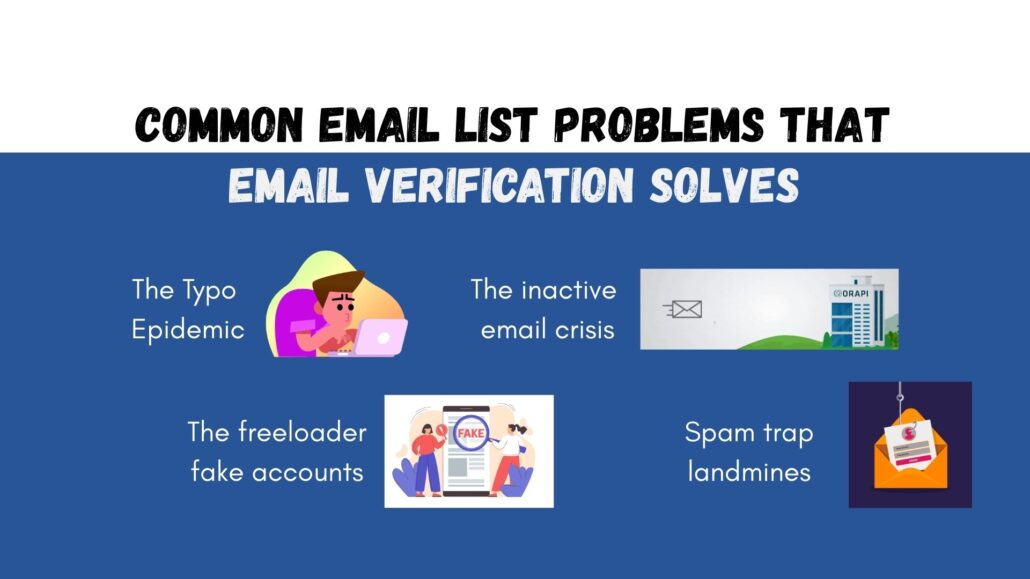
Common email list problems that verification solves

Let’s talk about the real-world problems you’re probably facing right now and how email verification addresses them.

Common email list problems that email verification solves

The typo epidemic

People make mistakes when typing their email addresses. It’s human nature. Someone rushing through your signup form types sarah@gmai.com instead of “gmail.com,” and boom – you’ve got an invalid address. Email verification catches these typos before they cause problems, and some tools even suggest corrections.

The inactive email crisis

People abandon email addresses all the time. They change jobs, switch providers, or just stop checking old accounts. Over time, your list fills up with these inactive emails that used to work but don’t anymore. Regular verification helps you identify and remove these dead addresses before they tank your deliverability.

Spam trap landmines

Spam traps are email addresses specifically created to catch spammers. They look like legitimate addresses, but they’re actually maintained by ISPs and anti-spam organizations. If you send emails to spam traps, your sender reputation gets destroyed. Email verification tools identify and flag these addresses so you can avoid them.

The freeloader fake accounts

Ever had someone signup for your lead magnet with a fake email just to download your content? Of course you have! Temporary email services and disposable addresses are everywhere. Verification tools spot these and let you decide whether to accept them or require a valid email for access.

How to use GetEmail.io for maximum impact

Now that you understand why email verification matters, let’s talk about how to actually use a tool like GetEmail.io to clean up your email marketing act.

Start with a complete list audit

If you’ve been doing email marketing for a while without verification, your first step should be a comprehensive audit. Upload your entire list to GetEmail.io and let it work its magic. You’ll probably be surprised (and maybe a little horrified) by how many invalid addresses you’ve been carrying around.

Don’t panic when you see the results. Most businesses lose 10-30% of their list in the first verification. That’s normal, and it’s a good thing – you’re cutting dead weight that was dragging down your performance.

Set up real-time verification

Once your existing list is clean, prevent future problems by implementing real-time verification on all your signup forms. GetEmail.io’s API integration makes this easy. When someone tries to signup with an invalid email, they’ll get an error message asking them to correct it. Problem solved before it starts.

Create a regular verification schedule

Email addresses decay over time. Studies show that about 22-25% of email addresses become invalid every year. Set a reminder to verify your list every 3-6 months to finish it fresh.

Segment based on verification results

Not all email addresses are created equal. Use your verification results to create segments. You might have one segment for your pristine, high-quality addresses and another for “risky” addresses that you want to send less frequently or monitor more carefully. This strategic approach maximizes deliverability while giving questionable addresses a chance to prove themselves.

Monitor your metrics

After verification, watch your email metrics closely. You should see improvements in deliverability, open rates and click-through rates. These improvements validate your verification efforts and help you calculate the ROI of the tool.

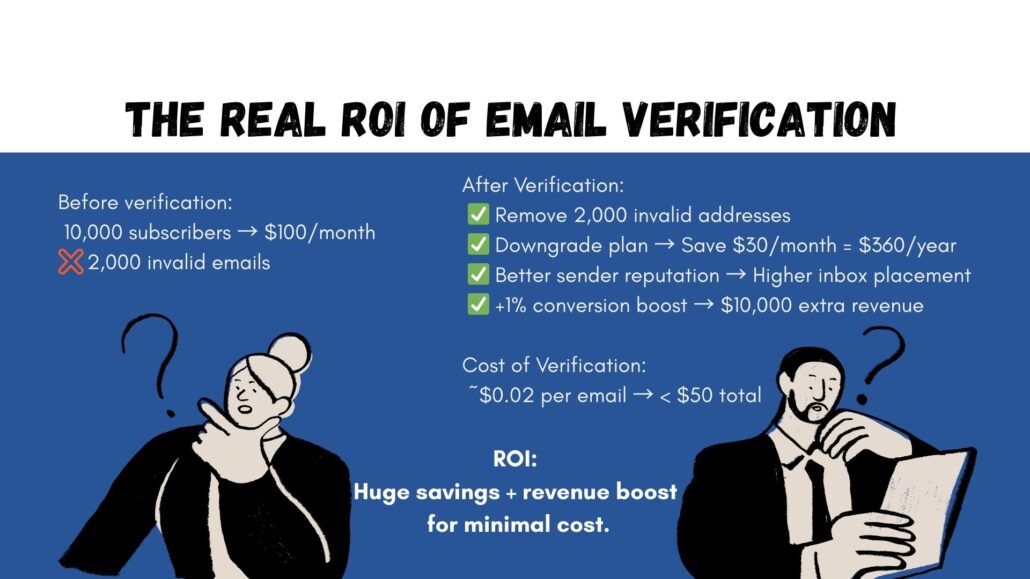
The real ROI of email verification

Let’s get down to brass tacks: What’s the actual return on investment for using an email verifier tool?

The real ROI of email verification is the calculation of budget leakage. The difference between how much you lose the amount when there's no verified email list vs when there a verified email list. This is to showcase how an email verification tool can improve the email list - thus, enhancing the productivity.

Consider this scenario:

You have an email list of 10,000 subscribers and you’re paying $100 per month for your email marketing platform. After verification, you discover that 2,000 addresses are invalid.

By removing them, you might be able to downgrade to a cheaper plan that saves you $30 per month – that’s $360 per year.

But the savings don’t stop there. You’re also improving your sender reputation, which means better inbox placement. If that improvement increases your conversion rate by just 1% and your average customer value is $100, you’ve just gained an extra $10,000 in revenue from a single campaign.

That cost of email verification? Usually just a few cents per email address, often less than $50 to verify your entire list. This math isn’t complicated – verification pays for itself many times over.

Making the decision: Is Email Verification Worth It?

If you’re still on the fence about whether you need an email verifier tool, ask yourself these questions:

  • Are your email bounce rates higher than 2%?
  • Have you noticed declining open rates over time?
  • Are you paying for email contacts that never engage?
  • Do you collect email addresses from web forms or landing pages?
  • Has it been more than 6 months since you cleaned your list?

If you answered yest to any of these questions, email verification isn’t just worth it – it’s overdue!

Getting started with GetEmail.io

Ready to clear your email list and start seeing better results from your campaign? GetEmail.io makes it easy to get started. The platform is intuitive enough for beginners but powerful enough for enterprise teams managing millions of contacts.

Whether you’re a solopreneur with a few hundred subscribers or a marketing team managing massive databases, email verification is one of the highest-leverage activities you can do. The time investment is minimal; the cost is low and the benefits compound over time.

Your email list is one of your most valuable marketing assets. Treat it with care it deserves, and it’ll pay dividends for years to come. Start verifying today and watch your email marketing performance transform from frustrating to phenomenal.

Remember: every email address in your database represents a real person (or at least, it should). By using an email verifier tool like GetEmail.io, you’re not just improving your metrics – you’re building a foundation for genuine, valuable communication with your audience. And that’s what email marketing is really all about.

How to Leverage Email Finder Tool for Targeted Marketing Campaigns

Using email finder tools for targeted marketing campaigns

Whether you’re into social media, on-page or off-page, every marketer is chasing for one thing – relevance!

No one, these days, wants to see a generic email with “dear user” subject line in their inbox. However, personalization doesn’t just benefit the marketing team, it helps sales team too.

A McKinsey report mentions about how personalization drive 10 – 15% revenue lift, even going up to 25% depending on your sector. Now that’s some numbers talking!

How do you build the most efficient personalized email campaign? If hyper-targeted outreach is your answer, then you’re on the right track. That’s a brilliant plan, to be honest.

Now, where should you start from? You’ve got the planning going. You’ve narrowed down whom to reach out to first and planning the KPIs around it. But do you have the right means to connect to them effectively?

Email finder tools is your answer. It makes sure that your outreach reaches out to the right people.

You might be already aware of the email finder tool and the basics of it. Today, let’s break down about what exactly they do and how can they fuel your marketing campaigns.

What Is Email Finder Software (And Why Does it Matter)?

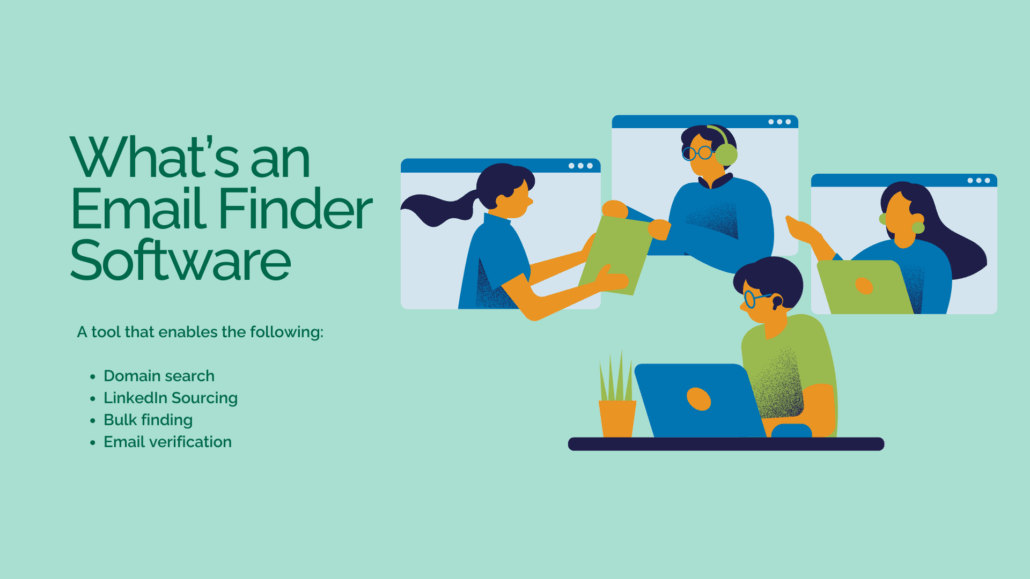
what is an email finder software? It is a tool that enables the following: Domain search LinkedIn Sourcing Bulk finding Email verification

Imagine having a magic tool that pulls verified email addresses from LinkedIn, websites, or even entire company domains. That’s email finder software in a nutshell.

Instead of spending hours hunting down contacts manually, you use a tool that automates the process. It is faster, smarter and way more scalable.

Most tools offer:

  • Domain search: Find emails under a specific domain (e.g., @companyname.com)
  • LinkedIn sourcing: Pull contacts directly from profiles
  • Email verification: Ensure the email is active and won’t bounce
  • Bulk finding: Upload a list and get all the emails at once

How does it matter, you ask? When you send a personalized email to the right person, it increases open rates and even better, it improves your conversions.

In short, an email finder tool boosts your lead generation strategy.

The Real-World Benefits of Targeted Email Marketing

Before diving into the technicalities, let’s zoom out and see the bigger picture.

When you run a targeted email marketing campaign, you’re reaching out to people who are actually interested in what you have to say or sell. You’re not throwing darts in the dark, you’re aiming with precision.

Here’s what you can expect:

  • Higher open and click-through rates: Relevance drives attention. When people feel like an email speaks directly to their needs, they respond.
  • Lower unsubscribe and spam rates: Nobody wants to be spammed. Targeted campaigns are less intrusive and more value-driven.
  • Better ROI: Email marketing already has one of the highest ROI of all digital channels, targeted efforts amplify that. Remember the statistics that says $1 investment = $36 Returns?
  • Increased personalization: When you know your audience, you can personalize beyond just “Hi {FirstName}.”

With email finder tool like GetEmail.io, it’s not just a name and email, you’re opening a door for intelligent segmentation and personalization.

We don’t just find you the emails, we verify and validate them to ensure your email campaign success.

Getemail.io is also flexible enough to integrate into any of your applications. Check out our features page to learn more about our offerings.

How Email Finder Software Helps You Build Better Contact Lists

Building a clean, segmented list is the backbone of successful outreach. Purchased email lists? That’s old news. Today’s high-performing marketers are leaning on intent-based outreach.

Here’s how email finder software helps:

  • Find decision-makers: Most tools allow you to filter by job title, department, or seniority level.
  • Industry targeting: Want to reach product managers in SaaS companies? Done.
  • Geographic filters: Focus your campaigns on specific countries, states, or cities.
  • CRM integration: Sync your email list directly to tools like ours, HubSpot, Salesforce, etc.

What results is that you get a focused list of verified leads that are not just relevant to your target audience but they’re more likely to respond as well. This is what happens when you’re reaching out with purpose.

Pro tip: Always verify your emails before hitting “send.” Email deliverability tools often come built-in with finder software to help reduce bounce rates.

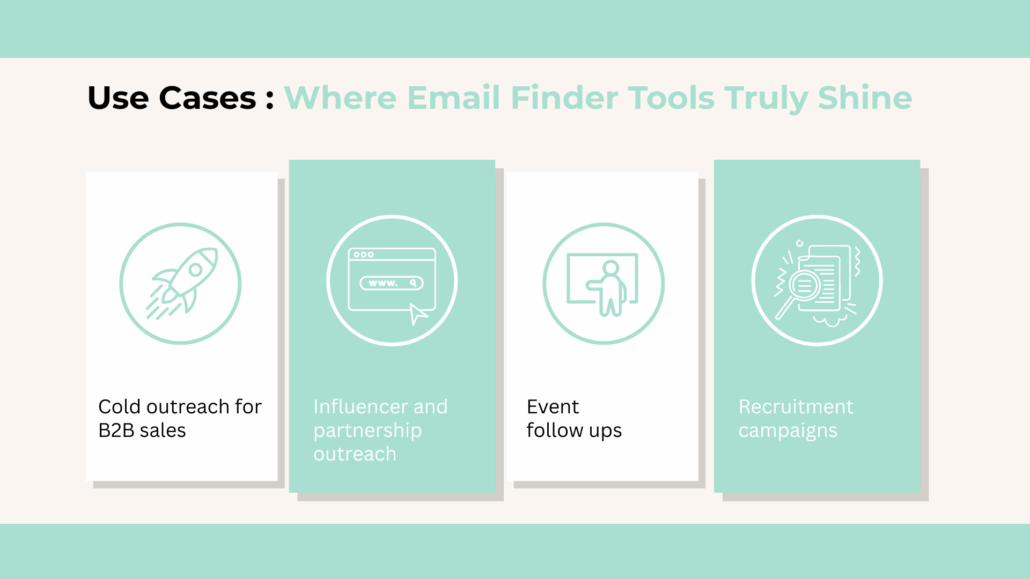
Use Cases: Where Email Finder Tools Truly Shine

Use cases of email finder software

Let’s move beyond the basics and dive into practical, high-impact use cases where email finder tools prove invaluable. These tools aren’t just helpful, they change the dynamics across multiple industries.

  1. Cold Outreach for B2B Sales

When your goal is to get your product or service in front of decision-makers, accurate contact data is everything.

  • Imagine selling a SaaS tool designed for HR teams.
  • Using tools like GetEmail.io or Snov.io, you can quickly build a list of HR heads at 500+ mid-size companies in your region.
  • These platforms offer verified email addresses, drastically reducing bounce rates and improving deliverability.
  • More quality leads = higher engagement and conversion.
  1. Influencer and Partnership Outreach

Finding the right collaborators is only half the battle and reaching them is the other.

  • Email finder tools help you get in touch with niche influencers, blog editors, or podcast hosts, even if their email isn’t publicly listed.
  • This opens doors to brand collaborations, guest posts, and affiliate partnerships.
  1. Event Follow-Ups

Post-event engagement can drive serious ROI, when it’s done right.

  • Attended a webinar, trade show, or industry meet-up?
  • Instead of sending a generic LinkedIn message, use an email finder to send a personalized follow-up directly to their inbox.
  • It’s more professional, and it helps you stand out.
  1. Recruitment Campaigns

Finding top talent can be challenging, especially when it comes to passive candidates.

  • Email finder tools allow recruiters to source personal or work email addresses of potential hires from platforms like LinkedIn.
  • This direct approach increases response rates compared to InMail alone.

From SaaS and EdTech to real estate and staffing agencies, email finder tools empower teams to connect with the right people, at the right time, in the right way.

Features to Look for in an Email Finder Tool

There’s no shortage of tools out there. Every platform comes with its own advantages and disadvantages, the point is, which one are you willing to take a chance on.

To ensure you’re investing wisely, focus on these essential features:

  1. Accuracy and Deliverability
  • The primary goal of any email finder is to help you reach real people.
  • Choose a tool that offers verified emails and minimizes bounce rates.
  • Look for features like confidence scores or real-time validation.
  1. Scalability and Bulk Search
  • Manual, one-by-one lookups are fine for small campaigns.
  • But if you’re scaling outreach, a tool with bulk email search capabilities will save hours of manual effort.
  • Some tools even let you upload CSVs or scrape emails from LinkedIn profiles at scale.
  1. Ease of Use and Integrations
  • Does the tool have a Chrome extension for on-the-go searches?
  • Can it plug directly into your CRM or email automation tools?
  • The smoother the integration, the easier it is to streamline your outreach.
  1. Credit System and Pricing Model
  • Most tools work on a credit-based pricing model.
  • Check how many verified emails you get per credit and whether the tool charges for unverified results.
  • Choose a plan that balances affordability with quality.
  1. Compliance and Data Security
  • To avoid legal risks, ensure your tool is GDPR and CAN-SPAM compliant.
  • Bonus if they offer features like opt-out management or custom unsubscribe links.

For long-term success, prioritize tools that also offer data enrichment, automated workflows, and team collaboration features. A reliable email finder tool is a long-term growth partner.

Best Practices for Running Targeted Campaigns with Email Finder Software

Now that you have your list, it’s time to make your campaign count. Even the best tools won’t help if your messaging falls flat.

Here are some quick dos and don’ts:

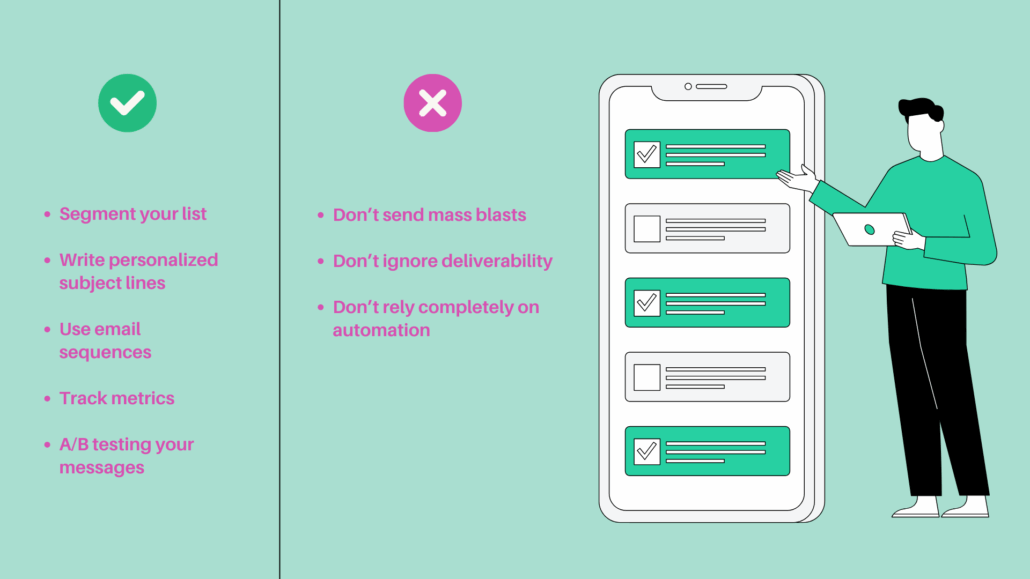
Do's and don'ts of using email finder software for targeted marketing campaigns

Do:

  • Segment your list: Break it down by job title, location, or industry to personalize your outreach.
  • Write personalized subject lines: “Quick question about your hiring process” beats “Let’s connect” every time.
  • Use email sequences: Follow-ups increase your chances. Don’t stop at one email.
  • Track metrics: Monitor open, click, and reply rates to tweak and improve.
  • A/B test your messages: Test different angles to see what resonates most.

Don’t:

  • Don’t send mass blasts to thousands of unsegmented leads.
  • Don’t ignore deliverability, too many bounces can hurt your sender reputation.
  • Don’t rely solely on automation. People can spot a generic template from a mile away.

Bonus tip: Pair your outreach with LinkedIn activity. Comment on their posts or send a soft touch message before emailing. It warms up your lead and increases the chance of a reply.

Make Every Email Count

72% of the consumers say they now engage with marketing messages that are tailored to their interests. Hence, executing marketing campaigns that piques customer’s interest becomes inevitable.

Email finder tool isn’t just a growth hack, it’s a strategic investment. It takes the guesswork out of prospecting and gives you the data you need to build meaningful, results-driven connections.

In the age of personalization and micro-targeting, sending the right message to the right person at the right time becomes a necessity.

So, whether you’re launching your next big campaign, prospecting for leads, or nurturing long-term clients, make every email count. Because with email finder tool, your next opportunity is just one verified address away.

Better Your Professional Network with LinkedIn Email Finder Tool

Email finder tools for your professional networking

When you think of expanding your professional network, establish industry connections or discover new career opportunities, the only name that pops first in the mind is LinkedIn!

It’s a one-stop-shop for all your career related needs. You find top-tier professionals to connect to, mentors with vast experiences giving career advice and industry peers to learn what’s trending.

However, there’s one challenge – it is the gap between LinkedIn connection and direct communication. The users have limited chances to send messages to their target connection.

How can one bridge this?

The most ideal way is through emails. This is where LinkedIn email finder tools come into play, streamlining the process of finding professional email addresses and unlocking new possibilities of outreach.

In this article, we’ll look into how LinkedIn email finder tools have become a game-changer for professional networking. Let’s also discuss their benefits, how they work, best practices for using them, and the ethical considerations you need to keep in mind when using.

What are LinkedIn Email Finder Tools?

What are LinkedIn email finder tools?

LinkedIn email finder tools are software or browser extensions that allow users to extract email addresses from LinkedIn profiles. These tools help professionals find verified and accurate contact details, facilitating direct communication with people they are connected to—or even those outside their network.

There are two types of LinkedIn email finder tools:

  1. In-Platform Tools – These tools integrate with LinkedIn and provide email addresses directly within the platform.
  2. Third-Party Tools – These operate independently of LinkedIn and may search for email addresses across multiple online sources, including LinkedIn, to provide accurate contact details.

Do you know? 3 out of 4 people on LinkedIn drive business decisions. So, utilizing email finder tools can really come handy.

While LinkedIn offers its own messaging feature, which is great for communication within the platform, email finder tools help professionals move conversations beyond LinkedIn. Emails tend to be more effective for follow-ups, professional pitches, and formal proposals.

GetEmail.io – The Perfect Email Finder Tool for You

From finding email addresses to validating them, helping you create unique lists of LinkedIn and streamlining your outreach, GetEmail.io does everything and more!

The LinkedIn extension is always helpful not just in finding the email addresses of your potential lead, but it also shows the hierarchy of the organization.

Now, doesn’t it become easy to find the right connection to add to your network? It does, indeed.

Another interesting aspect is that you can this entire process down to few minutes by installing our integration with Make & Zapier.

Benefits of Using LinkedIn Email Finder Tools for Professional Networking

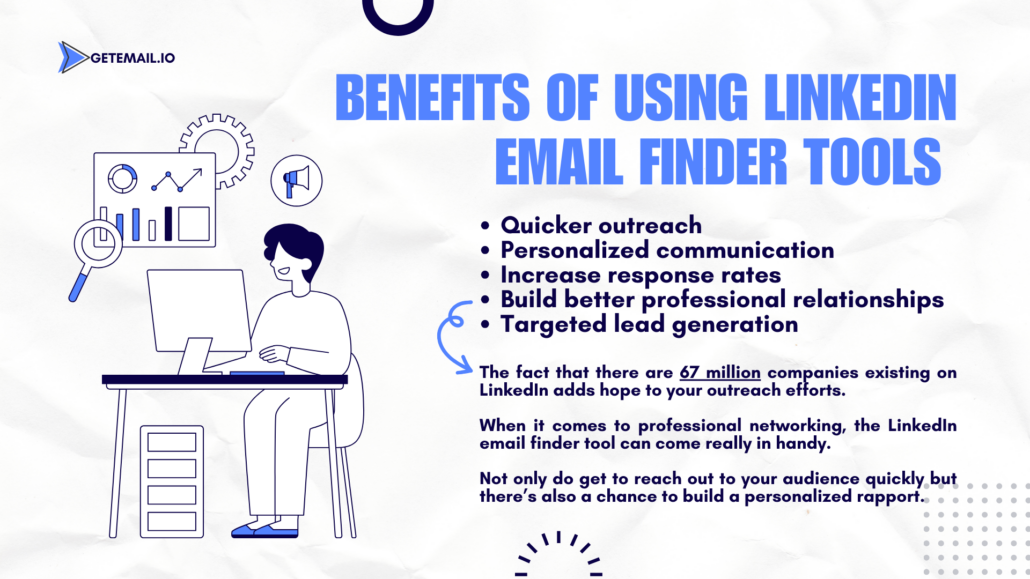
There are 67 million companies on LinkedIn. Of course, the number itself adds advantage for you to network better. However, this also mean that utilizing the right email finder tool can boost those benefits. Let’s learn how it benefits:

Benefits of using LinkedIn email finder tools

1. Quicker Outreach

One of the key advantages of LinkedIn email finders is the ability to speed up the outreach process. Sending LinkedIn connection requests or messaging through the platform’s managing system becomes less efficient, if not time consuming. Extract email addresses and reach out immediately. This not only saves times, but you also don’t have to worry if the recipient regularly checks their LinkedIn inbox or not!

2. Personalize Your Say

Email have always been the most efficient tool for professional communication. You access a more formal and direct channel compared to LinkedIn messages, which can often be ignored or lost in the noise. Leverage email search tools to personalize the outreach better. You can send tailored messages that resonates with the recipient’s specific interest.

3. Increase Response Rates

Most marketers report an average email open rate of 46 – 50%! With personalized, direct emails, response rates tend to be much higher than those achieved via LinkedIn messages. Most professionals are more likely to engage with an email that is tailored specifically to them rather than generic outreach through social media platforms.

4. Build Better Relationships

Using email finders to connect with professionals via email allows for stronger relationship building. While LinkedIn is great for making the initial connection, following up with personalized emails establishes a more direct line of communication. It, then becomes easier for to nurture relationships, exchange ideas, or offer solutions relevant to their challenges.

5. Targeted Lead Generation

For sales professionals and marketers, LinkedIn email finders are a crucial tool for generating targeted leads. These tools enable them to identify and reach decision-makers or key contacts in the industry, making lead generation much more effective. Once the email address is obtained, a carefully crafted email campaign can be launched.

How Does LinkedIn Email Finder Tool Work?

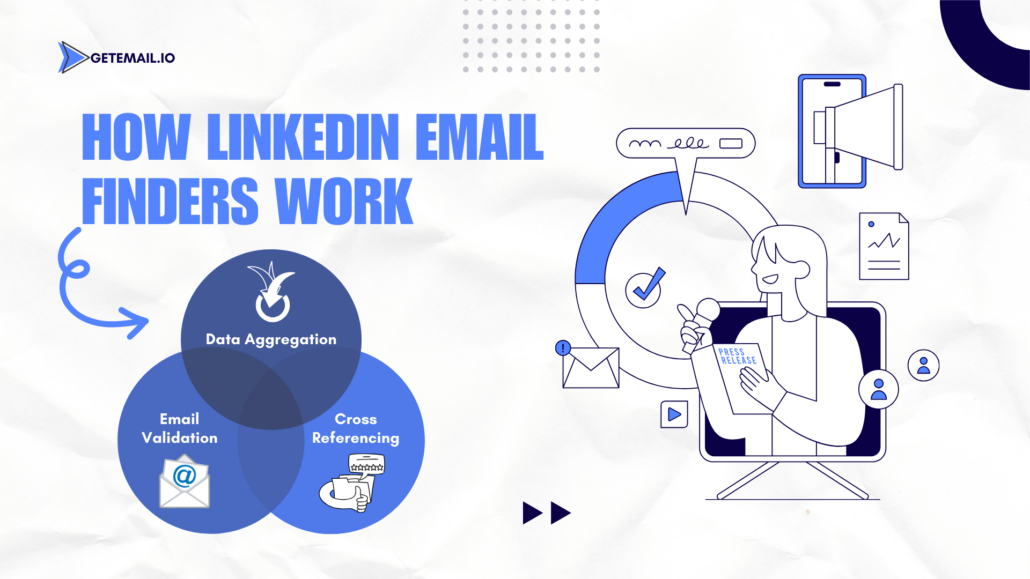
How LinkedIn Email Finders Work

LinkedIn email finders leverage a combination of algorithms, databases, and web scraping techniques to identify and verify email addresses linked to LinkedIn profiles. Here’s a simplified overview of how they work:

  1. Data Aggregation

Most email finder tools scrape publicly available data from various websites and platforms to create comprehensive databases of email addresses. Some may use LinkedIn’s API to extract contact information associated with profiles.

  1. Cross-Referencing

Once an email finder tool identifies a LinkedIn profile, it cross-references the individual’s information (such as name, job title, and company) with data from other sources to find their verified email address. These sources might include corporate websites, social media accounts, or publicly available data repositories.

  1. Email Validation

Many LinkedIn email finder tools come with built-in email validation features to ensure that the email addresses are valid. Hence, reducing the risk of bounces or spam flags.

Best LinkedIn Email Finder Tools in 2024

There are numerous email finder tools available in the market, each with its own set of features and capabilities. Here are some of the most popular LinkedIn email finders:

1. GetEmail.io

GetEmail.io comes with an extension to LinkedIn account where, once downloaded, you can access various aspects of lead generation and not just finding the valid email address. You also have a new feature to find leads from locality, industry as well as company.

You can also create lists to creatively separate leads into unique categories and extract them to google sheets without any hassle. Its user-friendly interface makes it easy for you to find emails. GetEmail.io also offers free credits for signing up– if you haven’t yet, why don’t you try it right away!

2. Hunter.io

Hunter is one of the most well-known email finder tools. It enables users to search for emails directly from LinkedIn or by entering a domain name. Hunter cross-checks and verifies email addresses, ensuring high deliverability rates.

3. Snov.io

Snov.io offers a browser extension that integrates with LinkedIn, allowing users to find email addresses in just a few clicks. The tool also provides a built-in email verification feature, ensuring that users only receive valid email addresses.

4. Lusha

Lusha is known for its simplicity and efficiency, providing verified contact details with a click. Several sales professionals choose this as it offers direct integration with popular CRM systems, making the outreach process seamless.

Best Practices for Using LinkedIn Email Finder Tools

Best practices for using LinkedIn email finder tool

While LinkedIn email finders can enhance your professional networking, it’s essential to follow best practices to ensure you’re using these tools effectively and ethically.

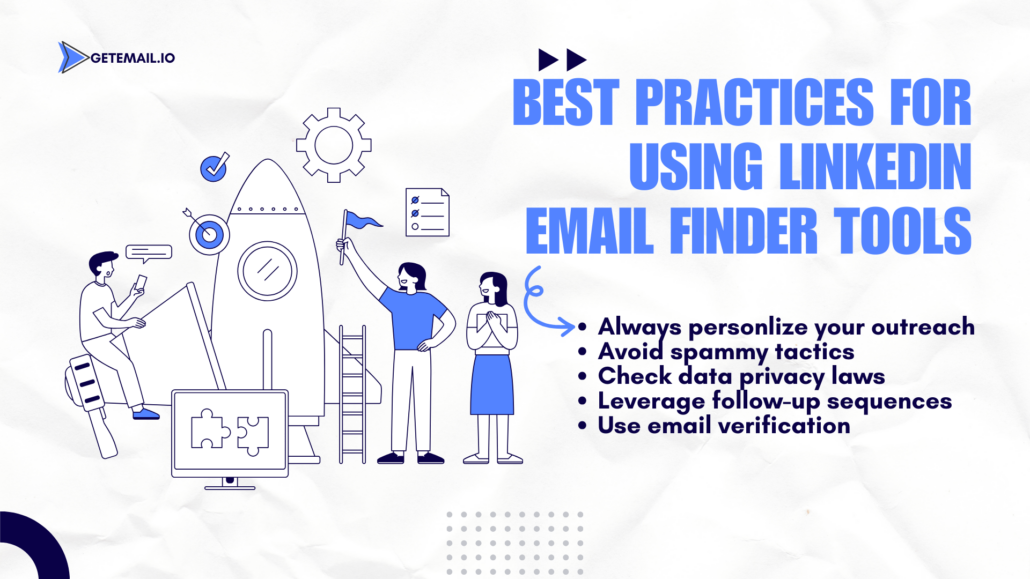
  1. Always Personalize Your Outreach

Finding an email address is just the first step. You’ll need to personalize your outreach to make a meaningful connection. Try not to send generic or mass emails; instead, tailor your message based on the recipient’s profile, interests, or professional background.

  1. Avoid Spammy Tactics

Email finder tools should never be used to send unsolicited bulk emails. This can harm your reputation and damage relationships before they even start. Rather, focus on quality over quantity—reach out to individuals who are most relevant to your goals and personalize your messages.

  1. Check Local Data Privacy Laws

Emailing someone without their consent may violate data privacy laws, depending on the country or region you’re operating in. Familiarize yourself with regulations like the GDPR (General Data Protection Regulation) in Europe, CAN-SPAM in the U.S., and other local laws before using email finder tools.

  1. Leverage Follow-Up Sequences

Sending one email is often not enough to establish a connection. Follow-up emails can help remind the recipient of your initial message, provided they are respectful and not too frequent. A polite, well-timed follow-up can improve your chances of receiving a response.

  1. Use Email Verification

Always ensure the email addresses you extract are verified to avoid bounce rates or spam issues. Many email finder tools have built-in verification features, but if yours doesn’t, consider using a separate verification tool.

Ethical Considerations When Using LinkedIn Email Finder Tools

As powerful as these tools are, it’s essential that you use them ethically to respect the privacy of the professionals you’re reaching out to. Here are some important ethical considerations:

  1. Consent Matters

Ensure that you’re complying with all relevant data protection laws when using email finder tools. Just as mentioned previously, refer to the country rules and law before deciding on initiating an email communication.

  1. Avoid Misrepresentation

When reaching out to professionals via email, be transparent about who you are and your intentions. Misleading recipients or using their contact information for purposes other than what they expect is not only unethical but can also harm your credibility.

  1. Respect Professional Boundaries

While LinkedIn email finder tools make it easier to connect with people outside your immediate network, respect their boundaries. Don’t send multiple unsolicited emails or use aggressive sales tactics.

  1. Don’t Over-Rely on Automation

While LinkedIn email finders are great for streamlining the process, avoid becoming overly reliant on automation. Personal engagement is key to successful networking, and relying too heavily on automation can make your outreach feel impersonal.

Let’s conclude what we’ve discussed on LinkedIn Email Finder Tool

LinkedIn email finder tools have undoubtedly transformed professional networking, allowing for more direct and effective communication.

However, it’s important to use these tools responsibly, adhering to best practices and ethical guidelines to build meaningful, professional relationships.

We’re now in an interconnected digital sphere where networking has become increasingly important. LinkedIn email finder tools then become indispensable for everyone looking to expand their network for whatever the intention is – be it for securing new opportunities or bagging a new lead.

How to generate more leads using LinkedIn in 2025? (Updated)

One question that boggles every marketer’s mind is how to develop more leads!

Social media is helpful, but is it enough to create quality output? Or can just email marketing do justice for growing your list?

Maybe it is, or maybe it isn’t. However, you cannot sit on only one strategy to gain more connections. There are always permutations and combinations of diverse marketing techniques that can fetch you your ultimate success – more leads > more sales!

LinkedIn is one effective social media platform for professionals from every aspect of every industry one can think of.

In fact, 96% of B2B marketers use LinkedIn as a primary approach for organic social marketing.

You can network with professionals and connect with others in their industry with its coverage of over 875 million members in over 200 countries. It is a great platform to generate leads and grow your business.

In this blog, I’ll discuss some effective strategies to generate more leads using LinkedIn in 2025. If you’ve been on LinkedIn but didn’t understand how to optimize your chances, this blog will give you a head start.

Perfect Your Profile for Maximum Impact

The first step in generating more leads on LinkedIn is to optimize your profile. Your profile should be complete, including a professional profile photo and a headline that clearly states what you do.

The summary should be compelling and highlight your skills, experience, and expertise. Also add relevant keywords to your profile, making it easier for people to find you.

Here’s my detailed blog to learn tricks on how to optimize your profile. I’m sure this will help!

Grow Your Professional Network Strategically

To generate more leads on LinkedIn, you need to grow your network. Three different ways for you to network are,

  • Join Relevant Groups
  • Networking Events
  • GetEmail.io!

Joining relevant groups in your industry and taking part in discussions is a great way to learn what peers are up to.

Conferences and networking events enable a greater opportunity to interact with like-minded people as well as learn their insights.

Another strategy is to use the LinkedIn search function to find potential clients and connect with them. Not only that, but email finder tools like GetEmail.io can be of real help in finding the email addresses of your potential leads, which I will get back to later in the blog.

Create Content that Captivates & Converts

Creating engaging content is another efficient way to generate leads on LinkedIn.

77% of content marketers say LinkedIn produces the best organic results. You can create posts, articles, and videos that showcase your expertise while also providing value to the audience.

Share the content in relevant groups and engage with your followers by responding to comments and messages. It forms connections with potential customers and become an expert in your sector.

Leverage LinkedIn Ads for Better Outreach

LinkedIn Ads can be an influential tool for generating leads on the platform. 80% of B2B marketers use LinkedIn ads. You can create targeted ads that reach your ideal audience based on their job title, company, and other criteria.

The professional communication platform also offers sponsored content, which allows you to promote your posts to a wider audience. By using LinkedIn Ads, you can reach potential clients who may not have found you otherwise.

Tap into LinkedIn Sales Navigator's Potential

LinkedIn Sales Navigator is a powerful tool that enables you to find and connect with potential clients.

It offers advanced search and filtering options, allowing you to target specific industries, job titles, and companies.

The Sales Navigator also provides insights and alerts, helping you to stay up-to-date with your prospects as well as engage with them at the right time.

Build Meaningful Connection with Your Prospects

Generating leads is only the first step. To convert your leads into clients, you need to engage with them. Respond to messages and comments promptly and provide value by sharing relevant content and insights. You can also offer a free consultation or trial of your services to encourage potential clients to take the next step.

Using a professional media platform for leads, such as LinkedIn, is only half the battle. Email marketing will push through your efforts for a higher level of success.

Remember, I said a while ago about how GetEmail.io helps in generating leads?

This professional email search tool is Whitepages, which helps you find company email addresses and even organize them as per your requirements.

In today’s fast-paced business world, the importance of lead generation cannot be overstated. It is essential for businesses to identify and engage with potential customers in order to grow and expand.

However, managing and organizing leads can be a daunting task, especially when you have a large number of contacts to keep track of. This is where GetEmail.io’s extension comes in handy.

GetEmail.io is a powerful email finder tool that helps businesses to find and verify email addresses for potential leads. Its browser extension takes this a step further by helping users to organize their leads while also assisting them in finding new ones.

Here are some of the key ways in which GetEmail.io’s extension can help businesses in organizing their leads:

  1. Automatic Lead Capture: With the GetEmail.io extension installed in your browser, you can automatically capture leads from any website you visit. The extension scans the website for contact information and adds it to your lead list. This saves you the hassle of manually copying and pasting contact information into your lead list.
  2. Lead Management: GetEmail.io’s extension allows you to easily manage and organize your leads. You can add new leads, edit existing ones, and even categorize them into different groups for easy reference. This helps you to keep track of your leads and prioritize your outreach efforts.
  3. Email Verification: One of the biggest challenges in lead generation is verifying the accuracy of email addresses. GetEmail.io’s extension solves this problem by verifying email addresses in real-time. This ensures that you only reach out to genuine prospects and saves you time and effort in sending emails to incorrect addresses.
  4. Automated Email Campaigns: Once you have organized your leads, you can use GetEmail.io’s extension to automate your email campaigns. Send emails to your audience and learn instantly how many of them have received and opened the emails. This helps in understanding your email marketing strategies, open rate ratios, etc. Then alter your course of action according to the audience’s acceptance.
  5. Email Hunting: The GetEmail.io extension allows you to hunt for email addresses of potential leads. You can search for email addresses by company name, domain name, or individual name. This helps you to identify new prospects and expand your outreach efforts.

Let me explain it practically with an example.

Here I am in my LinkedIn profile with GetEmail.io’s extension already installed. If you haven’t downloaded it yet, here’s our extension for LinkedIn and Gmail as well.

The GetEmail.io icon is already visible on the left corner of the LinkedIn page. It appears on every profile you visit on this platform.

Step 1:

Clicking on the icon will reveal a window where it processes and collects the profile’s email address. (Please note that for security purposes, we have refrain from sharing email addresses publicly through a blog. Hence, the blur. However, you can find the email addresses by signing up and using our extension.)

Step 2:

You can create lists and save the contacts in your desired lists.

Step 3:

Once done, click on “export to spreadsheet” and select from the bunch of options we offer.

Step 4:

That’s not all; you can also find colleagues of the person whose profile you’re looking at.

Step 5:

And we’re a responsible company that’s open to feedback. If you find any trouble while using our extension, you can reach out to us immediately using the “report a bug option” and we will get back to you instantly.

Now this is all pretty easy and amazing, isn’t it? With one tiny pop-up, we offer many more features, like a real-time update of your credit balance, options to earn more free credits, a link directing to your dashboard, and an option to try out our Gmail extension as well. The Gmail extension is just as cool and easy to use as our LinkedIn one, if not more so!

So, there you have it. GetEmail.io’s extension will hunt for email addresses, verify their authenticity and also help you maintain them in an organized manner. Finding email addresses of the professionals has never been easier than this!

Here’s the recap of everything we just went through

LinkedIn is a powerful platform for generating leads and growing your business. By optimizing your profile, growing your network, creating engaging content, using LinkedIn Ads, leveraging Sales Navigator, and engaging with your leads, you can increase your chances of success on the platform. Remember to be consistent and persistent, and you will see results over time.

However, this search is incomplete without GetEmail.io’s extension that can help businesses to organize their leads and find new ones. Its automated lead capture, lead management, email verification, and automated email campaigns features make lead generation a breeze. Additionally, its email hunting features make it an invaluable tool for expanding your outreach efforts.

If you are looking to streamline your lead generation efforts, GetEmail.io’s extension is definitely worth checking out.

20+ Email Marketing Stats You Need to Know in 2023

Email marketing stats

With updates happening now and then, it is so important that businesses are sure about investing their time and money on the right things.

When it comes to marketing, you cannot ignore a tool as valuable as email marketing!
You might be wondering why you should prioritize email marketing when there are so many other options for reaching your target audience. Is it really worth it?
To answer this in one word, I would say YES!

The result you get from email marketing is much more than just getting your message into your subscribers’ inboxes.

We understand that there is a lot of buzz surrounding email marketing and its benefits, but to consider it, you need a valid email marketing stat.
So, in this piece of writing, we will see what the email marketing stats suggest.

NOTE: You do not have to start from the beginning (unless you wish to go with the flow), feel free to pick any sub headline right from the bottom or middle, it’s up to you. Just make sure you read everything covered here.

Now, let us get started.

Half the World Population are Email Users!

In November of this past year, the world hit a new population benchmark of 8 billion people globally!!!

And around 4.3 billion people use email, which means that email is used as a communication tool by more than half of the world’s population.

And that is not all. This number is expected to rise to 4.6 billion within the next two years.

Therefore, it is imperative that companies and email marketers are well prepared to capitalize on this media; the best way to do this is to begin constructing an email list.

So, the next question is how to get an email address?

If you are not sure about how to find anyone’s email address to build your email list, an email search tool like GetEmail.io is an ideal choice.

With this tool handy, you can get an email address from multiple platforms or medium, say LinkedIn, Salesforce, Gmail, Outlook, Websites, etc.

As you read further, you will find this tip elaborated in just a few sections away, stay tuned.

Now, let us look at a few more stats to get a deep understanding of all that is about email marketing and ways to make the best out of it.

  • According to research conducted by Get Response in 2019, it was discovered that more than 22 percent of all email campaigns get opened within the very first hour of being sent to the users.

    And with each hour, the chances of getting more email opens reduces.

  • 63% of emails are now opened on a mobile device.
  • The return on investment in email marketing is 4200% as for every 1 dollar you spend you get 42 dollars.

What do these metrics imply and how you can use these insights in your upcoming email campaigns?

Well, with the return on investment mentioned above, we cannot be ignorant towards the email marketing strategy. So, that’s just another metric emphasizing the importance of email marketing for businesses.

And then you must always ensure that all your promotional emails are well optimized for mobile devices, since 63% is quite a number, right?

Was that insightful?

How Many Emails are Sent Per Day Worldwide?

In 2021, it was anticipated that people all around the world sent and received 319.6 billion emails each and every day. By the year 2025, it is projected that the number of emails sent each day will reach 376.4 billion.

That’s a lot, right?

As you can see, despite the growing popularity of instant messengers, chat apps, and social media, email remains the primary digital communication medium.

A Glimpse of the Email Usage in United States

  • If your target audience is the US (United States) market, then it is essential that you have a good understanding of how email is being used by the people in United States.

    As of January 2022, 92% of the digital population in the United States reported utilizing email for communication.

    On the other hand, just 83% of them utilized social media, and only 67% made use of other messaging applications.

  •  In the United States, the usage of emails for work was highest among users aged 25 to 56 years old, while just 53% of Gen Z users utilized emails to exchange information and communicate at work.

  •  Approximately six in ten US (United States) millennials reported using emails for shopping, whereas talking with family and friends was identified as the primary activity for users in the quiet Generation, defined as those aged 76 to 93.

  •  People over the age of 45 constituted a sizable proportion of email news readers.

  • 6% of users between the ages of 35 and 44 indicated that email was their primary method of internet news access.

  • Customers who did most of their shopping online were the most inclined to open emails that provided information about promotions and discounts.

  • Only 20% of consumers stated they opened email inquiries to review products they had recently purchased online.

  • According to a poll done in February 2022, hybrid workers received 31 emails per week, whereas fully remote workers received 170 emails per week, this is almost six times more than that of hybrid workers.

  • Between 2016 and 2020, American users spend more time checking work emails than personal emails; however, in 2021, users spent more than 172 minutes (about 3 hours) each day monitoring personal communications and only about 149 minutes (about 2 and a half hours) reviewing work emails.

  • In 2020, when the global spread of the COVID 19 pandemic made workers rely more on digital tools for work communication, users spent about 200 minutes on work emails, which is about 3 and a half hours.

  • Email was the primary form of communication utilized by 41% of employees in the United States who belonged to the Millennial generation and by 35% of employees who were a part of the Gen Z generation.

  • In a study conducted online in July 2019 among white-collar employees in the United States who had a smart phone, 43% of workers claimed that they checked their business emails every few hours outside of their regular work hours, while just 10% stated that they checked continuously.

The metric discussed in this section will help in understanding how your email subscribers in the US market would respond to your brand emails.

So, there you go, plan your email marketing campaigns accordingly!

Pro tip: How to get an email address using an email search tool?

GetEmail.io is an email search tool ideal for finding professional email addresses. It just takes you a few seconds to get an email address.
It operates based on the artificial intelligence algorithm and therefore ensures a high accuracy rate.

If you wish to obtain email addresses from LinkedIn, all you need to do is download and install the GetEmail.io LinkedIn extension.

Then you can go to your LinkedIn page and open anyone’s profile you want to get an email address of. Just by clicking the get email button, you can have their email address. It’s very simple!

Likewise, you can find email addresses on Gmail/Salesforce/Outlook applications by installing the respective extensions.

A couple of months ago a feature was introduced, GetEmail.io extension popup, with this you can download the email addresses right from the prospect’s company website.

This is a very interesting feature and saves a lot of time.

Give it a try by signing up for the freemium package.
I hope this helped you. Now let us continue with the email marketing stats.

How Long Do People Read Brand Emails on Average?

People are devoting less time to email reading!

Have you ever wondered how much time your recipients spend on your emails?

It is noted that the average time people spend on reading your (brand) emails has dropped to 10 seconds in 2021.

It sounds astounding, right?

From 2011 to 2021, the maximum time spend was in the year 2018, where people on an average have spent around 13.4 seconds reading brand emails.

What does this stat imply?

You have around 10 sec to tell people your message. That’s it.

Therefore, it is important that you craft your emails in a way that it does not take any of your recipients time for more than ten seconds to read and perceive what you intend to say.

Now, all you got is 10 sec, let us see how you can make the most of it.

How to Convey Your Message to Your Email Recipients in 10 Seconds?

With great email design, you may not only deliver your message but also compel your receivers to take action.

Frame your email in a way that it is attention grabbing by using images and relevant call to action, enticing to read by proper use of typeface and spacing, evoke reader’s emotions, last but not least reflect and reinforce your brand.

While these are just a few things to bear in mind, you can always try and test different ideas to see what works best for you and your potential audience.

There are many marketers who still send their customers lengthy emails and it turns out to do well.

In their cases it was their content that worked amazingly. May be in 10 seconds they were able to hook their customers.

They send highly engaging, personalized content offering true values to the readers that the recipients had no choice but to stick with it till the end of the message.

So, if you start empathizing with your target audience, all that you do will be bent towards serving them better and naturally your customers will be inclined to your brand.

The Power of Personalization: Stats to Prove

Personalization is nothing more than a one-to-one approach, in which businesses use the real-time data and insights provided by their users to communicate with them in a more meaningful way.

The days of treating all your target customers as if they were part of a single, homogenous group are long gone. (Yes, we are talking about segmentation!)

Personalization will continue to gain steam because of the ever-increasing need among consumers for marketing content that is relevant to their specific needs.

Across the globe, both business-to-business and business-to-consumer marketers have grown to rely more on the power of personalization in their campaigns.

  • In the year 2020, it was anticipated that by the year 2026, the worldwide revenue of the customer experience personalization and optimization software and service company will have grown by 65% in comparison to what it was in the year 2021.
  • 30 % of the marketers said that they had begun to tailor the experience they provided for their clients as early as 2022.

  • According to a study that was carried out in the year 2022, 60 % of the online buyers who were questioned claimed that firms that delivered material that was not individualized would lose their loyalty.

The fact that consumers are constantly bombarded with marketing messages that are irrelevant to them explains why they anticipate having a tailored experience.

Is your email marketing plan tailored to each of your customers or segmented groups? In the event that this is not the case, what steps can you take to add customization into your efforts to market via email?

According to the data depicted above, it was anticipated that the revenue generated by customer experience personalization and optimization would amount to 7.6 billion US dollars in 2021. Furthermore, it was anticipated that this figure would rise to 11.6 billion US dollars by 2026.

Therefore, making use of artificial intelligence is one approach to offer better experience for the potential clients you have. This guarantees an elevated level of customization.
Here is a stat to support this tactic.

  • According to the findings of the study that was conducted in February 2018, responding marketers who were utilizing artificial intelligence for email customization recorded an AOV (Average Order Value) of 145 US dollars. This figure is seven dollars more than the AOV recorded by responding marketers who were not utilizing artificial intelligence in their campaigns. [Source: Statista]

Challenges in Email Marketing

While it is crucial to be abreast of what is new in email marketing and what the future holds, it is just as crucial to be aware of the obstacles others in your industry or niche face and the strategies they employ to overcome them.

Here is a stat obtained from a worldwide survey conducted in December 2020:

  • 22% of responding marketers claimed that the most challenging goal to attain while optimizing an email marketing plan was mobile optimization;

  • And the most mentioned problem was maintaining an engaged list, which was mentioned by 45% of marketers surveyed.

With over eighty percent of users preferring to read emails over their mobile devices, it is essential that you apply responsive design principles that make your emails look great on any device.

Here are some tips you could follow to optimize your email campaigns for mobile devices:

  • Stick to a single column layout. This makes your content most readable for mobile devices. Having multiple column layouts is quite difficult to implement for mobile Gmail apps and outlook application;
  • Be selective about adding links to elements. By doing so, you can make sure that not everything on the screen is clickable. Otherwise, each time the user scrolls to read further, it can lead to mis-clicks;
  • Use legible font size. To make your content readable at a typical viewing distance without zooming, you could use a 14px font size for your email body copy, or at least it should 11 points.
  • Provide sufficient touch targets for interactive components. According to apple developers, it is recommended to have a tappable area of at least 44*44 points for all controls.
  • Add enough padding between elements. When you give enough spacing between elements, you can avoid accidental taps for your users.
  • Less is more when you use typefaces. Do not mix too many typefaces, otherwise you will end up hindering the readability of your content.

Do you find these tips helpful?

These are a few recommendations; you could always conduct research on optimizing email campaigns for mobile devices and you will be surprised to see the many ways out there for you to try.

Now let us discuss the ways to maintain an engaged list.

When it comes to maintaining an email list, the value they get from you is the key.

You should consistently provide content or offers that are valuable to your customers and never fail to execute this.

Everything you do should be following this one thing, and you will start noticing improvement in your engaging list retention.

And the next thing you can do is to have a healthy email list.
Healthy email list is the one where you have only the right people and right email addresses in your database.

With GetEmail.io, the email search tool, you can also verify your email list. Yes, it is an email verifier too. You can instantly validate more than 1000 email addresses, thanks to its robust CSV features.

Concluding Thoughts

That is a wrap for my round up of email marketing statistics.

The figures presented above make it quite evident that engaging in email marketing is a fantastic opportunity that you should not be missing.

I hope you are convinced enough to reserve a sizable portion of your marketing budget for executing email marketing campaigns in 2023.