

Everything You Need to Know About Email Finder Extensions

Streamline your workflow with these powerful email finder extensions

Does it ever occur to you how you spend the most amount of time reviewing and refining contacts to create a potential leads list?

Whether it’s for marketing, sales or recruitment, every minute spent searching for contact details is a minute that could be used elsewhere!

That’s where email finder extensions come in, offering a seamless way to locate the right email addresses quickly, efficiently, and directly from your browser.

Browser extensions that specialize in email finding take the heavy lifting off your shoulders. They transform what could be a labour-intensive process into a streamlined task that takes just a few clicks.

Let’s dive deeper into how these extensions work, their benefits, and how they can supercharge your workflow.

What Are Email Finder Extensions?
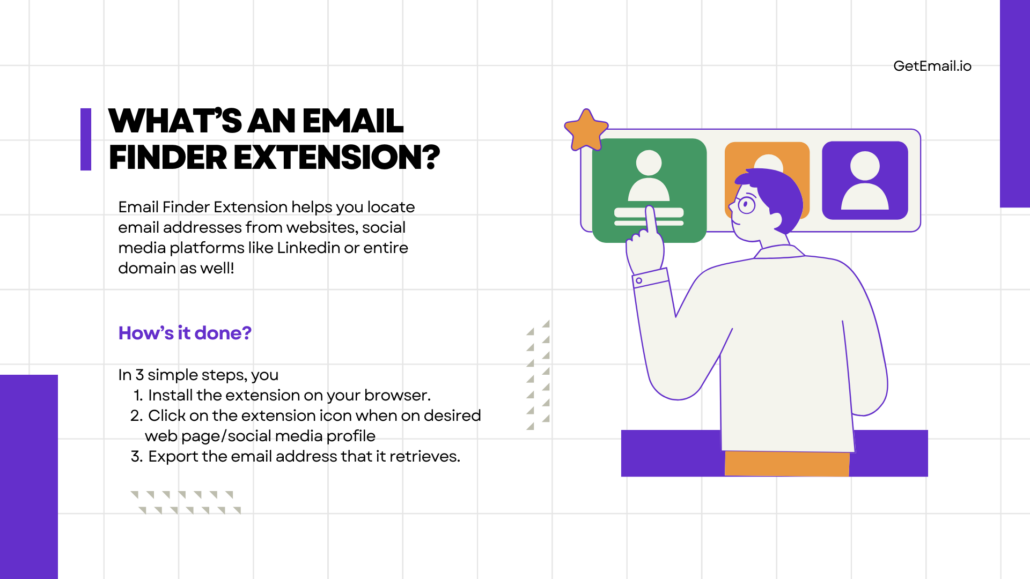
Definition of what are email finder extensions

Email finder extensions are plug-ins integrated into your browser (usually it is Chrome or Firefox) that help users locate email addresses from websites, social media platforms like LinkedIn, or even entire domains.

Instead of visiting multiple pages and trying to scrape contact information manually, these extensions run in the background and gather relevant data for you, offering an all-in-one solution to speed up email sourcing. retrieves

The process is simple:

  1. You install the extension on your browser.
  2. When you’re on a webpage or a social media profile, you click the extension icon.
  3. It retrieves and displays email addresses associated with that domain or user.

The data is typically sourced from a mix of public records, company websites, and some proprietary databases, ensuring that you’re pulling the most accurate and up-to-date contact information available.

How Do Email Finder Extensions Streamline Your Workflow?

I’ve already addressed how email finder extensions work. Apart from being accurate, these extensions ensure your work flows efficiently. Here’s the list for you to consider.
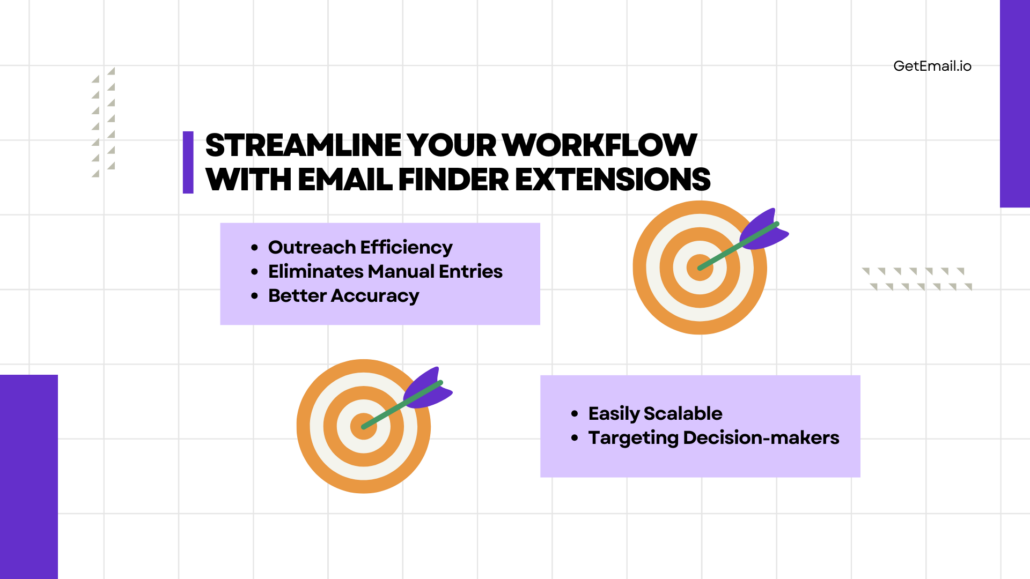
How do email finder extensions streamline your workflow

1. Efficiency in Outreach

The primary benefit of using email finder extensions is time savings. What used to take hours can now be achieved in minutes. By simply clicking on a browser extension icon while browsing a professional’s LinkedIn profile or a company’s website, you’ll instantly gain access to their contact details. You can leverage the efficiency to scale business outreach efforts, whether for sales prospecting, recruitment, or partnerships.

2. Eliminating Manual Data Entry

One of the most tedious aspects of email finding is manually entering the contact details into spreadsheets or CRM software. Many email finder extensions automatically sync with Google Sheets, or other platforms, reducing the risk of errors and saving time on repetitive tasks. The seamless integration ensures that your contacts are stored in one main place, accessible whenever you need them.

3. Higher Accuracy

Email finder extensions use algorithms that cross-check multiple sources of information to ensure the emails you’re retrieving are accurate. It reduces the risk of bounce backs or your emails landing in spam folders. Additionally, some extensions offer email verification features, ensuring the addresses you collect are live and active.

4. Scalability

When collaborating with large contact lists, you’ll need to have the ability to find multiple email addresses in bulk. Many email finder extensions allow users to extract hundreds or even thousands of emails from a domain or website, making it easy to scale your outreach efforts. This is particularly useful for all of your sales teams, recruiters, and marketers who need to contact many prospects or potential clients quickly.

5. Targeting Decision-Makers

Improving the efficiency of business networking requires you to contact the right people at the right time. Email finder extensions often come with features that allow you to filter contacts by role or job title, ensuring you’re reaching out to decision-makers who have the authority to act on your pitch. You increase the success rates and avoid irrelevant contacts by focusing your outreach on these key individuals.

Key Benefits of Using Email Finder Extensions

It is a boon for the ones using this extension tool on a regular basis for multiple reasons. Here’s the list on how you benefit by implementing email finder extension in your regular workflow.
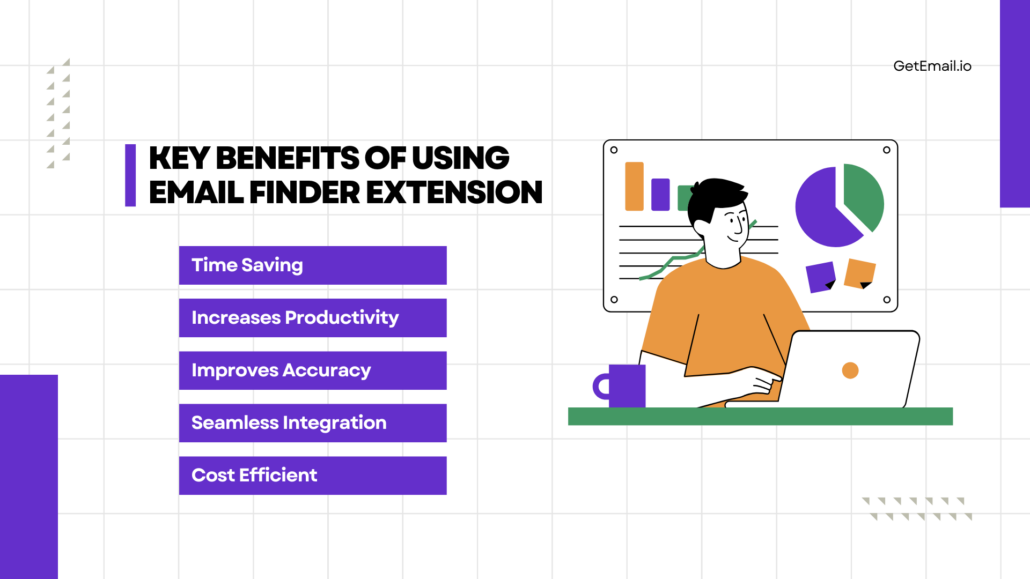
Image describing about the key benefits of using email finder extension
  1. It Saves Time

The most obvious advantage is time savings. Instead of manually sifting through websites and LinkedIn profiles to hunt for email addresses, the extension finds them for you in seconds.

  1. Experience Increased Productivity

With the ability to find emails faster, you can focus more on crafting personalized messages, researching leads, or working on high-level strategies. It frees up your time for more critical tasks, increasing overall productivity.

  1. Improves Accuracy

Email finder extensions often come with built-in verification tools that confirm whether an email address is valid. This helps reduce bounce rates and ensures that your emails reach the intended recipient.

  1. Seamlessly Integrates with Other Tools

Many email finder extensions integrate with customer relationship management (CRM) software, Google Sheets, and email marketing tools. The integration enables a smoother workflow, allowing you to transfer contact information directly from the extension to your CRM or outreach tool, reducing manual data entry as well as the possibility of errors.

  1. Cost-Effective For Every Business

Most email finder extensions offer a range of pricing plans, including free versions for casual users. For small to medium-sized businesses, these tools can provide significant value at a relatively low cost, making them accessible even to those with tight budgets.

Popular Email Finder Extensions for Businesses to Consider

Out of all the tools and extensions you find online to find email addresses, these below mentioned are on the top of their game. Let’s explore this extensive list of email finder extensions:

1.    GetEmail.io

GetEmail.io is one of the most sought-after email finder tools in the market right now. Download its extension to access email addresses on not just LinkedIn, but on Gmail, Salesforce as well as Outlook too! You also have a great option to integrate GetEmail.io on Make.com as well as Zapier to create a seamless workflow post finding email addresses.

The tool will help you create bulk email lists and export them to Google sheets for easier access to all the team members. There is also an option to download into the excel sheets. Either way, GetEmail.io works efficiently and provides connections that are highly accurate and relevant.
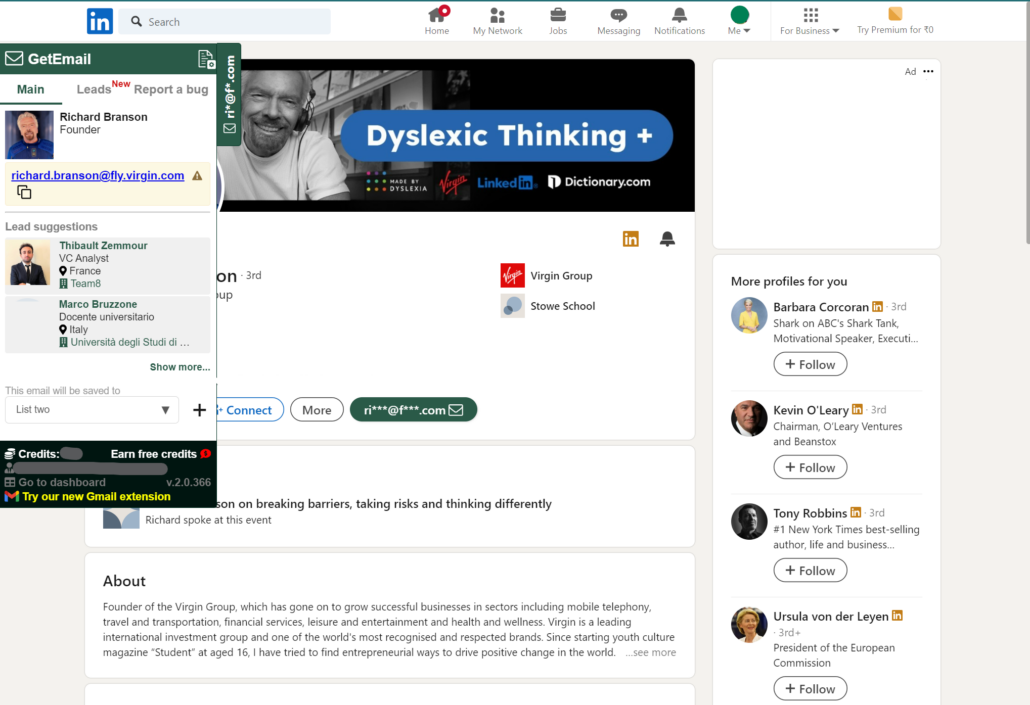
Screenshot of the email finder extension tool on LinkedIn where it found the email address of the profile.

2. Hunter

Hunter is one of the most widely used email finder extensions. It allows users to find email addresses by domain or individual profiles and offers email verification as well. Hunter integrates with multiple CRMs and email marketing tools, making it a solid choice for streamlining outreach.

3. FindThatLead

FindThatLead helps users extract emails from social media profiles or websites. It also lets you segment your outreach by industry, location, and more. With its built-in lead-scoring feature, you can prioritize which leads to reach out to first.

4. Snov.io

Snov.io offers both email finding and verification tools, making it a comprehensive solution for those looking to automate their email outreach process. It supports bulk email searching and integrates with CRM platforms.

5. AeroLeads

AeroLeads specializes in finding emails directly from LinkedIn and other business networks. The extension allows users to export contacts directly into their CRM, streamlining the process from lead generation to outreach.

What are the Best Practices for Using Email Finder Extensions?

Using email finder extensions can supercharge your workflow, but it’s important to follow some best practices to maximize their effectiveness and ensure you’re using them ethically.
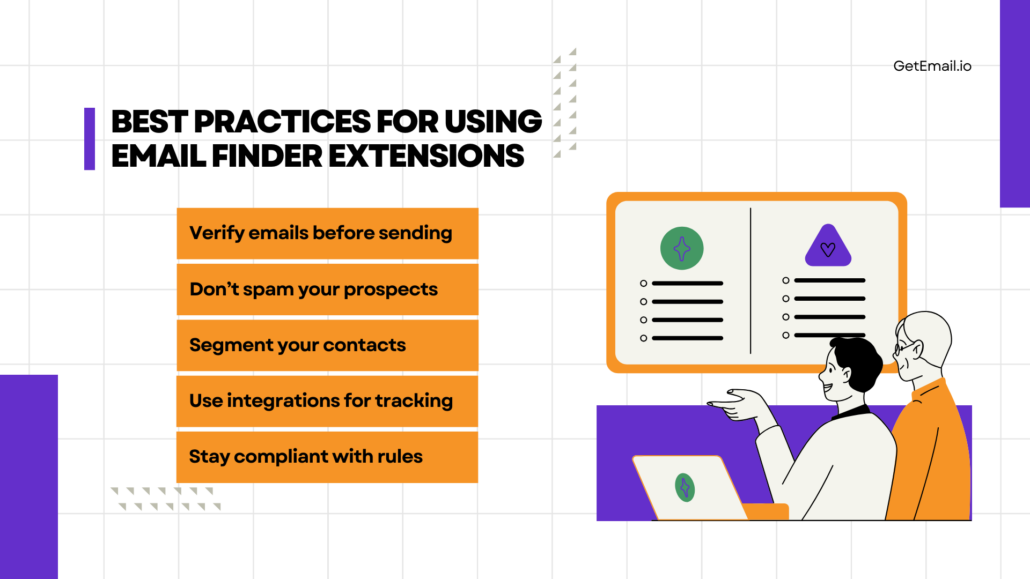
Best practices of using email finder extension
  1. Verify Emails Before Sending

Even though many extensions offer accurate email-finding services, it’s always a clever idea to verify the email addresses before sending out important messages. Most extensions come with built-in verification, but using a third-party service can also provide an extra layer of confidence.

  1. Don’t Spam Your Prospects

Having a list of email addresses doesn’t give you the green light to spam potential leads. Personalize your outreach, make sure your message provides value, and follow up strategically without overwhelming your prospects.

  1. Segment Your Contacts

Once you’ve gathered a list of emails, segment them based on factors like industry, job title, or location. This ensures that your outreach is targeted, making it more likely to resonate with your recipient.

  1. Use Integrations to Track Outreach

Many email finder extensions integrate with CRM tools like Salesforce, HubSpot, etc. Utilize this feature to keep track of your outreach efforts, making sure you don’t send duplicate messages or lose track of potential leads.

  1. Stay Compliant with Data Privacy Laws

There cannot be enough stress on the importance of adhering to relevant data privacy regulations such as GDPR or CAN-SPAM. These laws are in place to protect individuals from unsolicited emails and to ensure that businesses respect user privacy.

Who Should Use Email Finder Extensions?

Email finder extensions are beneficial for almost every professional across different industries. Here’s a breakdown of how they can benefit specific roles:

Who are benefitted with the extension?
  1. Sales Teams
    Sales reps need to find and connect with potential clients quickly. Email finder extensions allow them to gather contact information efficiently, streamlining the prospecting process and enabling them to focus on closing deals rather than hunting for emails.

  2. Recruiters
    Recruiters often have to reach out to candidates via email, especially those not actively job hunting. These tools make it easier to gather contact information and ensure that recruiters connect with top talent.

  3. Marketers
    For marketers running email campaigns or managing influencer outreach, finding contact information significantly speeds up the workflow. Email finder extensions simplify this process and integrate with email marketing tools to support campaign efforts.

  4. Entrepreneurs and Small Business Owners
    For small businesses and startups, finding key contacts for partnerships, business development, or sales is essential. These extensions help entrepreneurs make connections that are critical to their business growth.

Let’s recap on everything we’ve discussed

Email finder extensions are not just some convenient tools—they’re workflow enhancers that save time, increase productivity, and improve the accuracy of your outreach efforts.

Whether you’re a sales rep looking to close more deals, a recruiter hunting for top talent, or a marketer launching a new campaign, these extensions offer significant advantages.

Integrating these tools into your daily routines becomes directly proportional to shifting your focus from mundane tasks to what really matters – building relationships, closing deals, and growing your business.

So, why not give an email finder extension a try? With just a few clicks, you can streamline your workflow and enhance your outreach efforts, all while staying organized and efficient.
How to extract email addresses from any websites?

Building an email list from scratch can seem difficult, especially if you don’t have enough time and want to complete it quickly and effectively. But not when you know how to extract email addresses from websites.

We have come across many businesses that once felt it highly challenging to build email lists for their marketing efforts.

What’s your experience? How long have you been conducting email marketing campaigns?

If you are new to email marketing tools, I would like to ask you, how much of your time do you spend finding email addresses?

And, if you have been using email lookup tools such as GetEmail.io, how much of your time is saved and how effective are your campaign results now?

It’s undeniable that compared to the past, when one had to search through directories or yellow pages, things are now relatively simple, thanks to all the cutting-edge technologies that are readily available on the market.

Right from predicting the email format, extracting email addresses from LinkedIn, Gmail, etc., or validating the email address, everything is covered by these AI based email search tools.

Even though there is a wide variety of tools available, you need to select the ones that are most appropriate for your needs. GetEmail.io, for example, is an excellent option for B2B email marketing.

Long story short, email marketers are no longer required to conduct manual search queries or explore social profiles manually to get email addresses. It’s all taken care of by email finder tools.

Building email lists is made even easier!

So far, the fastest way to find email addresses has been using email lookup tools like GetEmail.io, where you enter a person’s first name, last name, and company domain and the tool provides you with accurate email address format.

The tool lets you find single email addresses as well as perform a bulk search process.

Have you tried this before? In case you haven’t, you could give it a try by signing up for the freemium plan.

The curious mind of humans never lets a man to settle for what is already there and entice them to look for something greater.

And that’s why software around us keeps upgrading faster. For example, recently, nearly five new features were introduced in GetEmail.io extension for Gmail/Outlook/Salesforce.

One of the features is the GetEmail.io extension popup.

With this feature, it is even easier to build your B2B email list.

You just have to head to your desired company website and open the GetEmail.io extension for chrome.

bulidemaillist

In a few seconds, you can get professional email addresses and then go on connecting with people that matter for your business.

Introducing the GetEmail.io extension pop-up

For those wishing to extract email addresses from websites, it is so easy with the handy GetEmail.io extension for chrome.

You are just one click away from your prospects’ email addresses with this extension.

This strategy is ideal when you require leads contacts but simply know their corporate websites.

Here’s how you can get started:

  • In your browser, pin the extension to your address bar.
    extract email from any website
  • Go to the page you want and click on the extension icon to bring up the pop-up with the employees’ information.
  • You can export the email addresses of your desired prospects associated with this company into a handy spreadsheet.

More about the GetEmail.io Web Scraper

  • GetEmail.io web scraper is the simplest way to build your leads database, as it just takes a single click to fetch the details.
  • You could be ensured of collecting high-quality contacts from any website you visit by enabling the “valid emails” option, and eventually build targeted lead lists of people that matter for your business.
  • What if you disable “valid emails”?In that case, you will get inaccurate email address format too which leads to a reduced email list quality. Hence it is recommended to keep it enabled.Besides this, our algorithm gets the list of bounced back emails that were previously found on different searches and those reported by the users. Hence, disabling valid emails will show you those bad emails as well.
  • If you are looking for a specific prospects’ contact, you can select the email addresses of just those you need or you can export the entire result in bulk as spreadsheets.
  • These emails that you get from the GetEmail.io extension is pre-verified. You can also test it using the GetEmail.io email verifier.
    GetEmail Extension
  • The extension helps you save a lot of time with prospecting and improves your deliverability.

And if you are still thinking whether to go for email finder extension to build your email list, continue reading to learn the importance of effective lead acquisition.

Every sale starts with a lead

Email leads

You need to keep adding to your pool of leads to ensure continuous sales.

As you know, you’ll never miss the water till the well runs dry, hence never let your pool of leads run dry.

There are many ways to get the leads. In fact, there are companies that operates on generating lead database for other companies’ demand.

Now, the question is, do you need to buy lists from third parties?

Not necessarily!

You could optimize your lead acquisition process using web scrapping tool and bypass the middleman.

And then, when you purchase your list of leads from someone else, you are less likely to know the origin of your leads.

Contrarily, with email web scraper, you are extracting emails from your desired domain.

What else is stopping you? Is it that you find the manual search process going well?

But once you start growing, things will turn upside down and manual search process can get you only limited leads.

Let us discuss more about this.

What if you have just entered business?

Even if you are at the early stage of your business, there is going to be a point where you will realize the need to automate your processes.

Automation

And when it comes to automating lead generation, nothing helps better than a good email extractor. It speeds up the process of acquiring leads and makes your marketing and sales campaigns more effective thereby increasing your conversions.

GetEmail.io email extractor has multiple email finding features, one of which is collecting leads from any website within seconds.

Concluding thoughts

As discussed, you can now find the email address of your prospect in the blink of an eye and fill your sales funnel with quality leads.

The internet is full of information, from social media platforms to directory sites to websites. The more well-versed you are at leveraging this information, the more successful your sales efforts will be.

Especially with GetEmail.io, you can extract email addresses from their company website, LinkedIn, Salesforce, etc.

How to track your email delivery status with GetEmail.io?

After your email list has been meticulously compiled and emails are being sent to the appropriate audience segments, what should you do next?

While creating an email list is an essential component of an email campaign, your email marketing efforts should not end there.

As with any marketing strategy, there is a lot that goes into executing an email marketing plan.

Sending emails is only the beginning of the show, after all!

If you are the owner of a company, work in sales, or are in charge of marketing, it is imperative that you monitor what happens to the emails you send to your target audience.

Is it getting opened, read, or left unopened in the inbox forever?

Do you agree?

You should be able to track when your emails are opened by recipients. This is a crucial step in better comprehending your email strategy and audience.

Stay tuned, as we will be discussing this topic in further detail in this blog.

What after the email is sent?

Have you ever experienced this?

An urgent email was sent out, and you hoped to hear back from the recipient soon.

However, time passes, and you receive no response. After a while, you begin to doubt whether your email was received by the intended recipient and, even if it was, whether the receiver actually read the content inside.

What next?

You are not the only one who has gone through this. This is something that every business goes through.

GetEmail.io at your rescue!

Because we know how frustrating it would be for you to wait cluelessly for your recipients, we have included a new function in our software, GetEmail.io, which allows you to monitor the delivery status of your emails and determine whether or not they have been read.

How does that sound to you?

Now let us see the many ways you could use this feature.

Enable the tracking option

To take advantage of this intriguing feature, you only need to turn on email tracking, as seen in the image below.

enable email tracking

With this you can be informed about your email delivery status.

For example, when you know that your recipient has already read your email, you can then plan to send them a follow up email and in case they haven’t yet opened the email, you may wait for them to open it.

Simply said, you can use this functionality to deliver the appropriate message to the appropriate recipient at the appropriate time.

Disable tracking when you don’t need

Do we really need to keep track of the delivery status of each and every email that we send out?

Not necessarily!

As indicated in the reference image below, you can uncheck the email tracking option just before sending your email if you don’t want to know the status of any emails you send.

How to check the delivery status?

You may check the progress of your emails by going to the outbox tab after you send them.

A single green checkmark on an email show that it has been sent, while a double green checkmark means that it has been sent and read successfully.

Isn’t it a cool add-on?

We hope that the addition of this functionality provides you with a fresh perspective on your email marketing approach. Watch this little video to gain a better grasp of GetEmail.io’s email tracking feature.

And for some reason if you haven’t yet used GetEmail.io for building your email list, you are missing out on a great opportunity for your business. So, you might want to try it.

You won’t find email searching to be a daunting task anymore thanks to GetEmail.io, and you can send emails with confidence to your target markets without worrying about them being bounced!

If you are still wondering why, you need the email delivery status, keep reading.

Let us take a look at the importance of email tracking, knowing the email delivery status.

Email deliverability status matters!

Email deliverability, after all, is crucial to the success of email marketing and sales initiatives.

It goes without saying that one of the most important factors in determining whether or not your email marketing efforts are successful is the percentage of your contacts who actually receive and open your marketing or sales emails.

deliverability

Therefore, it is essential that you are updated with this information about your emails.

Otherwise, you won’t be able to determine why your emails aren’t getting a response, and if you don’t track them, you’ll never know for sure if they were even delivered to the people who would be the best fit for your business in the first place.

Assume you’ve developed a strong email campaign for your target market at the bottom of the sales or marketing funnel.

And you’re sending them your first email, but — much to your surprise — it’s not generating the kind of response you were hoping for.

Before questioning your method or plot, you must first determine whether the email has reached their inbox and whether they have read it.

Does this make sense to you?

Concluding thoughts

Now that we have discussed all that you need to know about GetEmail.io email tracking feature, go ahead and make use of it.

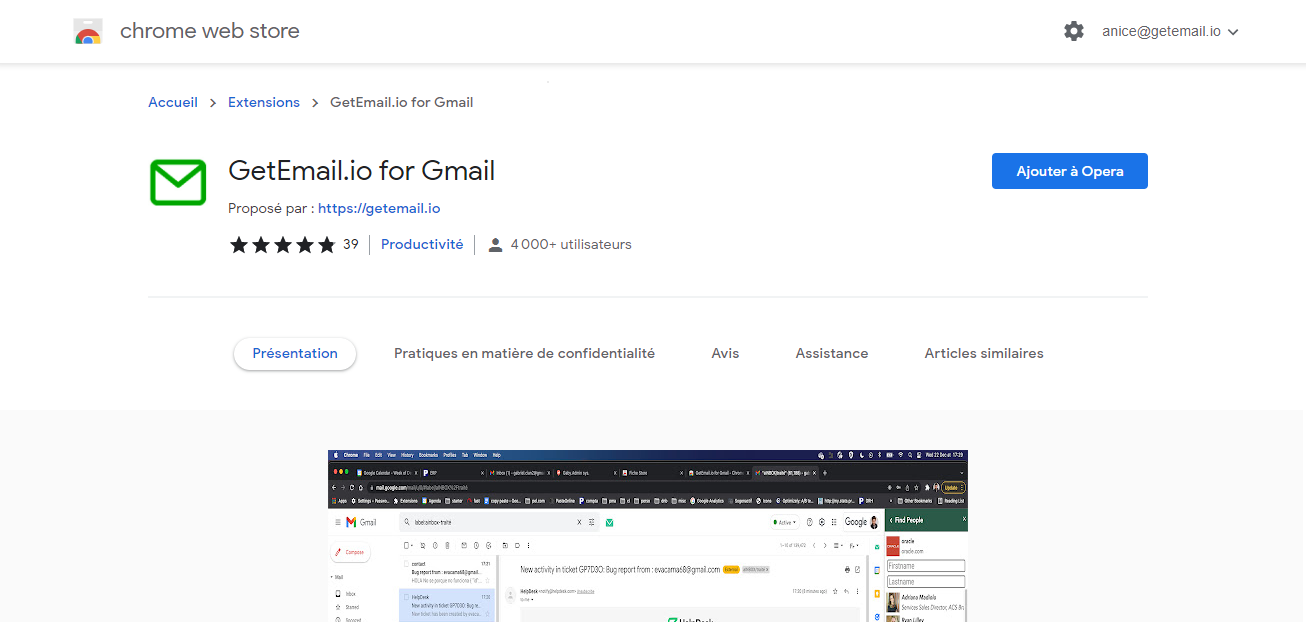
And if you haven’t yet, here is the link to install GetEmail.io extension:

GetEmail.io for Gmail, Outlook web and Salesforce – Chrome Web Store (google.com)

Once you start using this feature, let us know how you feel about it.

And lastly, keep sharing your thoughts and experiences about our product, we will definitely work towards serving you better.

Everything You Need to Know About GetEmail.io Gmail Extension

What is GetEmail.io Gmail Extension?

GetEmail.io Gmail Extension is an application integrated with your email. This application helps users have more informed conversations, save time, and better prepare for meetings with seamless access to business intelligence from GetEmail.io B2B Directory.

The application uses innovative technology powered by machine learning and natural language processing to find the professional email for the person you’re trying to get in touch with. Features include:

  • Limited access to business profiles of the people you are contacting through your email based on their first names, last names and company domain name, sourced from GetEmail.io.

How do I participate?

The preferred way to install GetEmail.io Gmail Extension is to navigate to the Chrome Web Store, click on “Add to Chrome” and click “Add Extension” on the consent screen.

What information are you collecting?

During installation from the chrome web store listing, you will be presented with the option to opt-in. If you have opted in to the installation of GetEmail.io Gmail Extension, the application will collect data from the emails and calendar invites you send/receive in your email environment.

Although we will access your emails and calendar invites, the data we collect will be limited to email addresses found in the “To” and “From” fields of the emails, as well as the business card information contained in an email signature.

The signature of an email may include data elements such as name, job title and department, company name, email address, telephone number, fax number, company address, corporate URL, and social networking URL.

Will you be reading my emails?

In order to collect the signature of an email, we will need to access your email contents but no human will be viewing the contents of your email messages or calendar invites.

Before accessing your email contents, we will have an automated process to access this data in real-time and collect only the relevant business contact information.

No other data will be collected or stored from the contents of your email.  Additionally, we will collect email addresses found in the “To” and “From” fields of the emails.

What safeguards do you have to make sure email messages are not collected?

We will not access the content of your emails without utilizing a state-of-the-art model trained specifically on emails with a set of emails with annotated signature blocks.

This model will be trained to look specifically for the data elements found in a signature line, including known names and titles phone numbers, emails, and URLs.

Moreover, we will use a speech identification model to identify any sentences that look like regular speech and ensure these are not collected.

We will limit our access to the minimum necessary to perform these tasks and any data that does not match a signature is disposed of instantaneously.

What safeguards do you have to make sure only business emails are collected and licensed?

The GetEmail.io B2B Directory offers the world’s most comprehensive business data, including data covering hundreds of millions of businesses globally. We will leverage the GetEmail.io B2B Directory and sell contacts once we have confirmed that they are related to a known business.

How will the contact information you are collecting be used?

Business contact data collected via GetEmail.io Gmail Extension may be incorporated into the GetEmail.io B2B Directory.

It is then used to enhance our products by enabling businesses to,

  • Manage their financial risks
  • Protect against fraud and dishonesty
  • Know who they are doing business with
  • Meet their compliance & regulatory obligations and,
  • better understand organizations, industries, and markets

Where permitted under applicable law, this information may also be used for sales and marketing purposes. For further details, please see the Terms of Service.

How can I share feedback?

Let us know how your experience is using The GetEmail.io Gmail Extension by sending an email to getemailsales@dnb.com or by chatting with one of our agents, or by giving us a phone call at +1 513 370 2144.

I no longer wish to participate; how do I uninstall GetEmail.io Gmail Extension?

To uninstall GetEmail.io Gmail Extension, you need to access your browser preferences.

1. On Chrome, click on the menu button (3 dots) in the top right-hand corner and click on” More Tools” and then “Extensions” in the dropdown menu.

2. Now, you’ll view a page of the downloaded extensions. From there, you can simply delete or disable the GetEmail.io Gmail Extension.

3. Restart Google Chrome.

The contacts that you have already shared via GetEmail.io Gmail Extension cannot be unshared but anyone whose data was collected via the GetEmail.io Gmail Extension may opt-out of the use of their data by calling GetEmail.io at +1 513 370 2144 or emailing getemailsales@dnb.com or by chatting with one of our agents. These instructions are also available from GetEmail.io Terms of Service