
Everything You Need to Know About GetEmail.io Gmail Extension

What is GetEmail.io Gmail Extension?

GetEmail.io Gmail Extension is an application integrated with your email. This application helps users have more informed conversations, save time, and better prepare for meetings with seamless access to business intelligence from GetEmail.io B2B Directory.

The application uses innovative technology powered by machine learning and natural language processing to find the professional email for the person you’re trying to get in touch with. Features include:

  • Limited access to business profiles of the people you are contacting through your email based on their first names, last names and company domain name, sourced from GetEmail.io.

How do I participate?

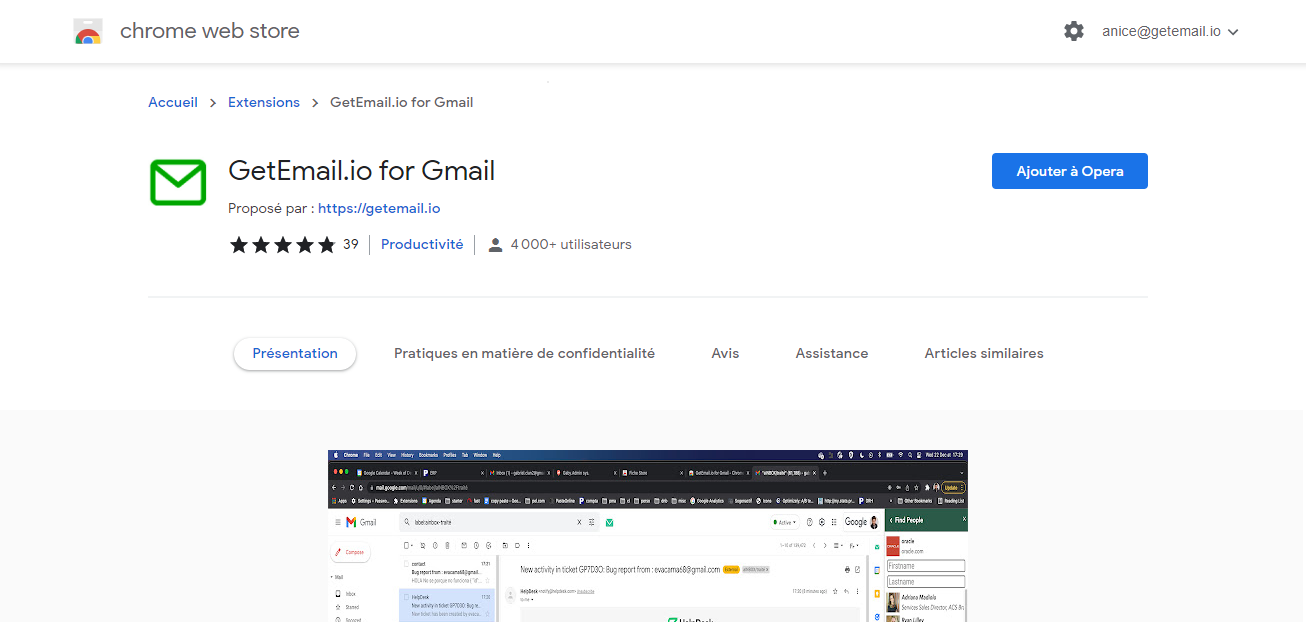
The preferred way to install GetEmail.io Gmail Extension is to navigate to the Chrome Web Store, click on “Add to Chrome” and click “Add Extension” on the consent screen.

What information are you collecting?

During installation from the chrome web store listing, you will be presented with the option to opt-in. If you have opted in to the installation of GetEmail.io Gmail Extension, the application will collect data from the emails and calendar invites you send/receive in your email environment.

Although we will access your emails and calendar invites, the data we collect will be limited to email addresses found in the “To” and “From” fields of the emails, as well as the business card information contained in an email signature.

The signature of an email may include data elements such as name, job title and department, company name, email address, telephone number, fax number, company address, corporate URL, and social networking URL.

Will you be reading my emails?

In order to collect the signature of an email, we will need to access your email contents but no human will be viewing the contents of your email messages or calendar invites.

Before accessing your email contents, we will have an automated process to access this data in real-time and collect only the relevant business contact information.

No other data will be collected or stored from the contents of your email.  Additionally, we will collect email addresses found in the “To” and “From” fields of the emails.

What safeguards do you have to make sure email messages are not collected?

We will not access the content of your emails without utilizing a state-of-the-art model trained specifically on emails with a set of emails with annotated signature blocks.

This model will be trained to look specifically for the data elements found in a signature line, including known names and titles phone numbers, emails, and URLs.

Moreover, we will use a speech identification model to identify any sentences that look like regular speech and ensure these are not collected.

We will limit our access to the minimum necessary to perform these tasks and any data that does not match a signature is disposed of instantaneously.

What safeguards do you have to make sure only business emails are collected and licensed?

The GetEmail.io B2B Directory offers the world’s most comprehensive business data, including data covering hundreds of millions of businesses globally. We will leverage the GetEmail.io B2B Directory and sell contacts once we have confirmed that they are related to a known business.

How will the contact information you are collecting be used?

Business contact data collected via GetEmail.io Gmail Extension may be incorporated into the GetEmail.io B2B Directory.

It is then used to enhance our products by enabling businesses to,

  • Manage their financial risks
  • Protect against fraud and dishonesty
  • Know who they are doing business with
  • Meet their compliance & regulatory obligations and,
  • better understand organizations, industries, and markets

Where permitted under applicable law, this information may also be used for sales and marketing purposes. For further details, please see the Terms of Service.

How can I share feedback?

Let us know how your experience is using The GetEmail.io Gmail Extension by sending an email to getemailsales@dnb.com or by chatting with one of our agents, or by giving us a phone call at +1 513 370 2144.

I no longer wish to participate; how do I uninstall GetEmail.io Gmail Extension?

To uninstall GetEmail.io Gmail Extension, you need to access your browser preferences.

1. On Chrome, click on the menu button (3 dots) in the top right-hand corner and click on” More Tools” and then “Extensions” in the dropdown menu.

2. Now, you’ll view a page of the downloaded extensions. From there, you can simply delete or disable the GetEmail.io Gmail Extension.

3. Restart Google Chrome.

The contacts that you have already shared via GetEmail.io Gmail Extension cannot be unshared but anyone whose data was collected via the GetEmail.io Gmail Extension may opt-out of the use of their data by calling GetEmail.io at +1 513 370 2144 or emailing getemailsales@dnb.com or by chatting with one of our agents. These instructions are also available from GetEmail.io Terms of Service


GetEmail.io Wins a 2021 Leader Award in B2B Lead Generation From SourceForge

GetEmail.io Wins a 2021 Leader Award in B2B Lead Generation, we are honored to be recognized as the best-in-class category leader by SourceForge, the world’s largest software reviews and comparison engine.

Visit https://sourceforge.net/software/product/GetEmail-io/ to see what users are saying about us.

The Summer 2021 Leader Award recognizes products and companies with consistently high user reviews, placing GetEmail.io in the top 5% of favorably reviewed products on SourceForge.

Logan Abbott, President of SourceForge, shared his thoughts on the winners:

“We’re happy to announce this year’s remarkable Summer 2021 Leaders, GetEmail.io showed that they’re beloved by their users, as evidenced by the large quantity of outstanding user reviews.”


What This Award Means to Us?

At GetEmail.io, we are honored to receive such recognition. This award validates our mission to provide an effective, reliable tool for finding professional email addresses. We strive to continuously improve our platform to meet the evolving needs of our users.

The positive feedback from SourceForge reviewers highlights the key reasons why GetEmail.io remains a trusted solution in B2B lead generation:

  • Accuracy: Our email search technology identifies verified business email addresses with high precision.
  • Ease of Use: Customers value how quickly they can find email addresses with minimal effort.
  • Time-Saving: Automating the email finding process saves users hours of manual work.

Our Commitment to Continued Excellence

Since receiving the award in 2021, we continuously made several enhancements to deliver even more value to our users:

  • Introduced the new Integration features
  • Ongoing updates to ensure a seamless, user-friendly experience.
Our users continue to support us with glowing reviews, emphasizing our ability to help them achieve their lead generation goals.


Try GetEmail.io Today

If you are looking for a proven solution to streamline your B2B lead generation, GetEmail.io is here to help. Try our platform today with a free trial.

LinkedIn limits the number of invites to 100/week. Now what?

Dear GetEmail.io users,

As you may have noticed (and if not, don’t worry, your turn will come), LinkedIn has been deploying a new release of their user interface, which limits the number of connection invitations to merely around 100/week, which means 14/day.

If you’re an intensive LinkedIn user – be it for sales, recruiting, partnership, event planning purposes – you are certainly aware of the fact that there are a few steps to follow before sending a message to the new prospect.

  1. You’ll need to first send him/her a connection invite.
  2. Wait until they accept you as their 1st degree connection.

Only then can you finally contact him/her. Well, before, you could theoretically get in touch with 100 of your prospects / day, now only with 100 / week!

If you haven’t noticed this yet, this is only because as with all their new releases, LinkedIn will deploy them progressively over all their user database, just to make sure there’s no major glitch along the way. So you’ll be able to benefit from the old conditions a couple of days, maybe weeks, and then you’ll be switched to the new LinkedIn version, just like anyone else.

Now what?

Are you going to divide your prospecting pipeline by 7?

Earn 7 times less bonuses at the end of the month because you’ll sell 7 times less?

Hire 7 times less people or grow your business 7 times slower than you used to!?

Well, you’re no at a loss at all! At GetEmail.io, we have the solution to this problem. In fact, this has never been a problem for people who use GetEmail.io.

Here’s the thing: our tool GetEmail.io will “guess” the email address of any prospect on LinkedIn based on their sole name & company. So, there’s no need for you to be connected to that prospect on LinkedIn to use GetEmail.io and get his/her email address. You’ll then be able to send him/her a regular email message.

This is, and has always been, a way more efficient solution than the “traditional” reaching out process through LinkedIn:

The traditional LinkedIn invitation process:

It has always been limited (before to 100/day, today to 100/week). Not everybody answers positively to your invitations to connect, so your real success rate is much lower in fact.

It is a heavy manual process, with lots of steps, a total waste of time and loss of productivity (invite people to connect, verify they’re connected, send them a message).

If you wanted to follow up in case of lack of response, you had to add yet another layer of complexity and verify if people answered in first place after say 1 week and follow up accordingly.

The “new, trendy GetEmail.io + LinkedIn prospecting process”:

You visit the LinkedIn profiles you want to prospect, and then with one click you find out their email address thanks to GetEmail.io. The prospect email is automatically stored in your GetEmail.io account, and you have them all in 1 place.

You can then completely automate your process, that is download that database under the form of a CSV, and inject in wherever you need, in your CRM, in your Marketing Automation Tool, in your Google Sheets, you name it. No more hurdles and never-ending manual processing for your leads!

So, what are you waiting for, log in to GetEmail.io and start using our service, it’s free for basic use! Oh, don’t forget to try our various integrations too!